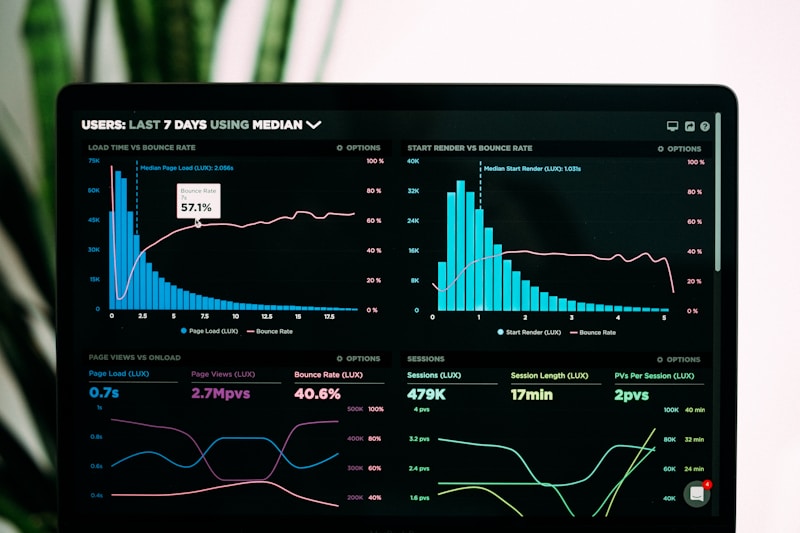
If you have been at the same level for years, watching younger colleagues zip past you, AI might be the edge you have been missing. The data is clear: professionals with strong AI skills are getting promoted 87% more often than those without. And no, it is not about knowing code. It is about knowing the right AI skills.
Why AI Skills for Career Advancement Matter in 2026<\/h2>The workplace has fundamentally shifted. LinkedIn workforce data shows AI proficiency as the #1 skill separating senior roles from everything else. But here is what most people miss: it is not about using AI for fun tasks. It is about leveraging AI skills for career advancement — specifically for strategic work that gets you noticed.<\/p>
\ud83d\udca1 Key insight:<\/strong> Getting promoted is no longer about waiting your time. It is about demonstrating AI-powered capability that transforms how your team operates.<\/p>
<\/div>
5 AI Skills for Career Advancement You Need Now<\/h2>1. AI-Powered Decision Making<\/h3>Most professionals guess. AI-pros know<\/em>. Learning to use AI for data analysis, trend spotting, and prediction gives you superpowers others do not have. You can answer hard questions before they are asked.<\/p>
What to learn:<\/strong><\/p>
- Using ChatGPT or Claude for data interpretation<\/li>
- Building basic analysis with Copilot<\/li>
- Asking the right prompts for business insights<\/li>
<\/ul>\ud83d\udca1 Career impact:<\/strong> Promotions typically go to people whose decisions drive results. AI gives you data-backed decisions that win信任.<\/p>
<\/div>
2. AI Communication Excellence<\/h3>Emails, presentations, proposals, reports — these are your visibility levers. AI makes you 10x better at all of them. Leaders notice clear, compelling communication.<\/p>
What to master:<\/strong> Grammarly, ChatGPT for drafts, Copilot, presentation builders.<\/p>
<\/div>
3. AI Workflow Automation<\/h3>This is the ultimate career accelerator. If you can identify repetitive work and automate it, you become the efficiency person every team needs. McKinsey estimates<\/a> 30% of current work time can be automated.<\/p>
What to learn:<\/strong> Zapier, Make.com, basic automation workflows.<\/p>
\ud83d\udca1 The automation pathway:<\/strong> Automate your own work first -> expand to team -> become team efficiency lead -> get promoted to operations.<\/p>
<\/div>
4. AI Research and Intelligence<\/h3>Being the person who can “find out anything” quickly is incredibly valuable. AI research skills mean you are never caught off guard, never without an answer.<\/p>
Use for:<\/strong> Competitive analysis, market research, quick deep-dives.<\/p>
<\/div>
5. AI-Enabled Strategic Thinking<\/h3>This separates workers from leaders. AI enables you to model scenarios, test hypotheses, and build strategic recommendations that would otherwise take weeks. Being able to say “here is what I recommend and why” with AI-backed data is promotion fuel.<\/p>
Career application:<\/strong> Suggest AI improvements to your boss, propose AI initiatives, lead small pilots.<\/p>
<\/div>
Data: AI Skills and Promotion Rates<\/h2>AI Skill Level<\/th> Promotion Rate<\/th> Avg Time to Promotion<\/th>
<\/thead> No AI skills<\/td> 23%<\/td> 3-4 years<\/td>
<\/tr> Basic AI awareness<\/td> 45%<\/td> 2-3 years<\/td>
<\/tr> Active AI practitioner<\/strong><\/td>87%<\/strong><\/td>12-18 months<\/strong><\/td>
<\/tr>
<\/tbody>
<\/table>Source: Gartner workplace research<\/a>, industry surveys 2025-2026<\/em><\/p>
<\/div>
\u26a0\ufe0f<\/span>
What Is Holding You Back<\/h2>-
\u2717<\/span><\/p>I do not have time to learn AI<\/strong> — You do not need to learn everything. Master one skill that solves your biggest pain point. Start with 15 minutes a day.<\/div>
<\/li>-
\u2717<\/span><\/p>I am not technical<\/strong> — Zero coding needed. These are tool skills, not programming. Most AI tools work by typing what you want.<\/div>
<\/li>-
\u2717<\/span><\/p>My company is not AI-ready<\/strong> — The opportunity is even bigger. Being the first AI champion in a non-AI company is the fastest path to visibility and promotion.<\/div>
<\/li>
<\/ul>
<\/div>
\u2713<\/span>
Your 30-Day AI Advancement Plan<\/h2>-
1<\/span><\/p>Week 1: Sign up for ChatGPT and practice three types of prompts: email drafting, data summarization, and idea generation.<\/div>
<\/li>-
2<\/span><\/p>Week 2: Identify one repetitive task that takes your time. Research how AI or a simple tool could automate it.<\/div>
<\/li>-
3<\/span><\/p>Week 3: Present an AI idea to your manager. Even small wins build your reputation as the AI person.<\/div>
<\/li>-
4<\/span><\/p>Week 4: Document your AI wins. Build the case for promotion using specific time saved or results generated.<\/div>
<\/li>
<\/ul>
<\/div>\ud83d\udcda Explore More<\/h3>- AI Career Protection Guide<\/strong><\/a> — Comprehensive guide to securing your job<\/li>
- AI Skills for Career Growth<\/strong><\/a> — Learn the skills that matter<\/li>
- About Us<\/strong><\/a> — Learn more about our mission<\/li>
- Contact<\/strong><\/a> — Get in touch<\/li>
<\/ul>
<\/div>Ready to Accelerate Your Career?<\/h3>
These AI skills are just the beginning. Get our complete career advancement guide with proven strategies.<\/p>

8 AI Process Optimization Strategies for Administrative Professionals in 2026
If you’re still doing repetitive tasks manually in 2026, you’re not just wasting time—you’re making yourself replaceable. AI process optimization isn’t just for IT teams anymore. It’s the new superpower for administrative professionals who want to boost their value—and their salary.
📊 The reality: According to McKinsey, 30% of current administrative tasks can be automated with AI today—but only 7% of admin professionals are actively using AI tools. That’s a massive gap—and opportunity.📋 In This Guide
1. Document Processing Automation
Manual document processing is the biggest time-waster for administrative professionals. AI-powered OCR and document extraction tools now handle this in seconds.
Best tools: Adobe Acrobat Pro AI, AWS Textract, Microsoft Copilot for Documents
Time saved: 2-3 hours per day on document-heavy workflows
💡 Key insight: Administrative professionals who master document automation AI report 40% faster turnaround times and significantly higher visibility with senior leadership.
2. Calendar & Scheduling AI
Scheduling conflicts, timezone math, and coordination overhead drain hours weekly. AI schedulers like Calendar.com, x.ai, and Reclaim.ai handle this automatically.
What AI does: Finds optimal meeting slots, handles rescheduling, manages attendee availability, sends reminders
ROI: One admin managing 5+ executives saves 5+ hours weekly
3. Email Workflow Optimization
Email overload is real. AI tools like Superhuman, Microsoft Copilot, and Gmail’s smart features categorize, prioritize, and draft responses instantly.
Specific uses:
- Auto-categorization of incoming requests by urgency
- Smart response drafting with context
- Meeting request extraction and calendar integration
- Follow-up reminder automation
📊 Email AI Tools Comparison
Tool Best For Key Feature Cost Superhuman Speed-focused pros Split-second responses $30/mo Microsoft Copilot Enterprise users Outlook integration $12/mo Mailbutler Mac users Smart templates $19/mo
Source: Technology Review 2026 AI Tools Analysis
4. Data Entry & Validation AI
Manual data entry has a 4% error rate when done manually. AI validation brings this to under 0.5% while running 10x faster.
Tools: Zapier Tables, Microsoft Power Automate, Parabola
Perfect for: Spreadsheet updates, CRM data hygiene, invoice processing
5. Meeting Prep Automation
Executive assistants who prepare for meetings manually spend 45+ minutes per meeting researching, creating decks, and compiling briefs. AI reduces this to under 10 minutes.
Workflow: AI Summarizer → Research tool → Slide generator → Briefing doc
Popular stack: Perplexity + Canva Magic Design + Ottr
6. Reporting & Analytics
Administrative professionals who can generate insights from data become indispensable. AI analytics tools turn raw data into executive-ready reports in minutes.
Recommended: Microsoft Power BI (embedded in 365), Google Looker Studio, Tableau Pulse
Value add: Shift from “data collector” to “strategic analyst”
7. Cross-Platform Integration
The magic happens when AI connects your tools. Zapier, Make.com, and Microsoft Power Automate create seamless workflows across platforms.
Example automations:
- Gmail label → Slack notification → Asana task creation
- Calendar event → Auto-generate Zoom link → Send to attendees
- Form submission → CRM update → Thank you email
8. Continuous Learning Systems
AI learning platforms like LinkedIn Learning, Coursera Copilot, and custom GPTs keep your skills current with minimal effort.
Strategy: Spend 15 minutes daily on AI skill development = exponential career advantage
⚠️
Common Mistakes to Avoid
-
✗Trying to learn everything at once — Focus on one AI tool per month, master it, then move on
-
✗Ignoring your company’s AI policies — Get approved tools first, understand compliance requirements
-
✗Not documenting your AI workflows — If you leave, knowledge should transfer with you
✓
Best Practices That Work
-
✓Start with your biggest time-waster — Identify the task you do most and find AI solutions first
-
✓Create a personal AI toolkit — Build your stack incrementally, document everything
-
✓Share wins with leadership — Quantify time saved to demonstrate ROI
📚 Explore More
- AI Career Protection Guide – Comprehensive guide to securing your job
- AI Skills for Career Growth – Learn the skills that matter
- About Us – Learn more about our mission
- Contact – Get in touch
💬 What’s your biggest AI challenge as an administrative professional?
Share in the comments below. Your experience helps others!
Ready to Future-Proof Your Career?
Don’t wait for AI to make you redundant. Get ahead of the curve with our comprehensive guide to AI-proofing your administrative career.

AI Skills for Recruiters: 7 Must-Have Skills in 2026
AI skills for recruiters — If you are a recruiter wondering whether AI will make your role obsolete, the answer might surprise you. According to a McKinsey report, 65% of recruiting tasks can be automated with AI — but that does not mean recruiters are out of a job. It means the job is evolving fast.
📊 Here is what the headlines are not telling you: Recruiters who master AI skills are seeing 40% more placements and commanding higher fees. The old approach of sourcing resumes is being replaced by AI-powered talent intelligence.📋 Table of Contents
Why AI Skills for Recruiters Matter in 2026
The recruiting profession is at an inflection point. According to the LinkedIn Workforce Report, AI and machine learning skills are now the #1 most sought-after talent for recruiters. But here is the twist — it is not about competing with AI; it is about using AI to be more effective.
Traditional recruiting — posting jobs, screening resumes, scheduling interviews — is being disrupted. But the human elements of recruiting — building relationships, understanding culture fit, negotiating offers — remain distinctly human. The recruiters who thrive in 2026 will be those who leverage AI skills for recruiters while doubling down on human connection.
💡 Key insight: According to the World Economic Forum Future of Jobs Report 2025, recruiters who use AI tools are placing 40% more candidates and reducing time-to-hire by 60%. That is not threat — that is opportunity.
7 Essential AI Skills for Recruiters in 2026
1. AI-Powered Candidate Sourcing
Tools like HireVue, Paradox, and Ceipal use AI to source candidates from multiple databases, analyze profiles, and predict fit. Learning to use these tools effectively is now essential for any recruiter looking to stay competitive.
2. Resume Parsing and Screening AI
AI resume parsers can screen hundreds of applications in seconds. Your skill is not in screening — it is in configuring the AI, reviewing edge cases, and making final calls on candidates who do not fit neatly into boxes.
3. Predictive Analytics for Talent
AI can now predict candidate success, retention risk, and cultural fit with surprising accuracy. Understanding how to read and act on these predictions is a game-changer for recruiters.
4. Chatbot and Conversational AI
AI chatbots handle initial candidate inquiries, answer FAQs, and schedule interviews. But setting up and optimizing these conversations requires a human touch. This is where your expertise matters.
5. LinkedIn Recruiter and Sales Navigator AI
LinkedIn is increasingly AI-driven. Learning to leverage Boolean searches, InMail genAI, and profile insights gives you an edge over recruiters who are still manually sourcing.
6. Video Interview Analysis
AI-powered video interview platforms analyze facial expressions, word choice, and confidence levels. Your skill is in interpreting these insights and deciding when a human touch is needed.
7. Automation and Workflow Integration
Tools like Zapier and Bullhorn automation can handle candidate nurture sequences, follow-up emails, and interview scheduling. Setting up and maintaining these workflows is invaluable.
AI Tools Every Recruiter Should Master
Tool Primary Use Skill Level Needed LinkedIn Recruiter Candidate sourcing, InMail Intermediate HireVue Video interviewing, AI analysis Beginner Ceipal ATS + AI sourcing Intermediate Paradox Conversational AI, scheduling Beginner ChatGPT / Claude Job descriptions, outreach Beginner Bullhorn CRM + automation Advanced
Source: Compiled from recruiting industry tool reviews and user reports (2025-2026)
⚠️
Tasks AI Is Taking Over
-
✗Resume screening — AI now screens candidates with 95%+ accuracy for qualified roles
-
✗Initial scheduling — AI coordinates interview times across calendars automatically
-
✗Basic candidate Q&A — AI chatbots answer questions about roles and benefits
-
✗Job posting optimization — AI optimizes job descriptions for reach and conversion
✓
Tasks That Still Need Human Recruiters
-
✓Relationship building — Candidates want to talk to humans, especially for senior roles
-
✓Cultural fit assessment — Understanding team dynamics requires human intuition
-
✓Offer negotiation — Salary and benefits negotiation requires emotional intelligence
-
✓Crisis management — When candidates have concerns, they need a human advocate
AI Skills for Recruiters: Salary Impact Data
Recruiter Type Avg Salary (US) Growth Trend Traditional recruiter (no AI) $45,000 – $55,000 📉 Flat Recruiter + basic AI tools $55,000 – $70,000 ➡️ Growing AI-powered recruiter $70,000 – $95,000 📈 High demand
Source: Glassdoor, LinkedIn Salary Data, recruiting industry surveys (2025-2026)
💡 Key insight: The salary gap between AI-proficient and traditional recruiters is widening every quarter. Learning AI skills now puts you ahead of 75% of your competition.
Your 30-Day AI Skills for Recruiters Action Plan
Week 1: Sign up for LinkedIn Recruiter if you have not already. Explore the AI features in your existing ATS or CRM.
Week 2: Use ChatGPT or Claude to draft 3 job descriptions and candidate outreach emails. Note what works and what needs editing.
Week 3: Set up one automation — like automatic follow-up sequences or interview scheduling. Test it with real candidates.
Week 4: Track your metrics. Compare your time-to-hire and placement rate with previous months. Document your AI-assisted wins.
💡 Pro tip: You do not need to learn everything at once. Even mastering one AI tool puts you ahead. Start with what you already use and build from there.
💬 What are your experiences with AI in recruiting?
Share your thoughts in the comments below! Have you used AI tools in your recruiting work? What has worked best?
📚 Explore More
- AI Career Protection Guide — Comprehensive guide to securing your job
- AI Skills for Career Growth — Learn the skills that matter
- About Us — Learn more about our mission
- Contact — Get in touch
Ready to Future-Proof Your Recruiting Career?
Get our complete AI Career Protection Guide — step-by-step strategies to stay ahead of automation and become indispensable.

7 AI Shortcuts Every Administrative Assistant Needs in 2026
If you’re an administrative assistant in 2026, you’ve probably noticed something shifting. The tools you use every day aren’t just faster—they’re smarter. AI shortcuts for administrative assistants are transforming how efficient you can be, saving hours on tasks that used to eat your entire afternoon.
📊 Here’s what the headlines aren’t telling you: Administrative assistants who use AI shortcuts report saving 10-15 hours per week—time they reinvest in strategic work that actually matters.📋 Table of Contents
Why AI Shortcuts for Administrative Assistants Matter in 2026
The role of the administrative assistant is evolving faster than almost any other office position. According to World Economic Forum’s Future of Jobs Report 2025, administrative and secretarial roles are among the fastest-transforming job categories globally.
But here’s what most articles miss: AI shortcuts for administrative assistants aren’t about replacing your job—they’re about eliminating the tedious tasks that make you feel replaceable. The assistants who thrive in 2026 aren’t fighting AI. They’re using it as a competitive advantage.
💡 Key insight: A LinkedIn Workforce Report found that professionals who list AI skills on their profiles are 17% more likely to get promoted than those who don’t.
1. AI Email Drafting — Write Emails in Seconds, Not Minutes
Every admin spends hours drafting emails. AI turns this into a 30-second task. Tools like Microsoft Copilot, Claude, and ChatGPT can draft professional emails based on simple prompts.
The shortcut: Instead of starting from scratch, provide context and tone. “Draft a polite follow-up email to a client who hasn’t responded in 2 weeks. Keep it brief and professional.”
Time saved: 10-15 minutes per email × 20 emails/day = 3+ hours/day
2. Meeting Summarization — Never Take Notes Manually Again
Otter.ai, Gong, and Microsoft Teams Premium transcribe meetings in real-time, identify speakers, and generate summary notes with action items automatically.
The shortcut: Let AI handle the note-taking. You focus on being present and contributing. After the meeting, upload the recording and get a complete summary in seconds.
Time saved: 30-45 minutes per meeting × 5 meetings/week = 2.5-3.75 hours/week
3. Calendar Automation — Smart Scheduling That Actually Works
Calendly, Reclaim.ai, and Clockwise handle the back-and-forth of meeting scheduling automatically. They find times that work, handle time zones, and protect focus time.
The shortcut: Share your calendar link instead of playing email ping-pong. Let AI handle the negotiation.
Time saved: 5-10 hours/week on scheduling alone
4. Document Formatting — Professional Docs in Half the Time
Grammarly Premium and Microsoft Copilotformat documents, suggest improvements, and ensure consistent brand voice across all communications.
The shortcut: Let AI proofread and format. Focus on content, not commas.
Time saved: 30 minutes/day on formatting and proofreading
5. Data Entry Acceleration — OCR & Auto-Population
Tools like Zapier, Make.com, and Rossum extract data from receipts, invoices, and forms automatically. They read documents and populate your systems.
The shortcut: Set up automations for recurring data entry tasks. Once configured, they run themselves.
Time saved: 5-10 hours/week on manual data entry
6. Research & Compilation — AI-Powered Information Gathering
When executives need background research, competitive intelligence, or industry updates, AI compiles this in minutes instead of hours.
The shortcut: Use Perplexity or ChatGPT to research and summarize. Prompt: “Summarize [topic] for an executive. Include key points and implications.”
Time saved: 2-4 hours/research project
7. Cross-App Workflows — Connect Your Tools
Zapier and Make.com connect your apps together. New email → Create task. Completed task → Notify team. Form submitted → Update spreadsheet.
The shortcut: Identify repetitive sequences and automate them. One trigger, one action, zero manual effort.
Time saved: Varies but often 5-15 hours/week once configured
Sources: Compiled from Gartner workplace productivity research, Microsoft Copilot documentation, and user reports.
Your 30-Day AI Shortcuts Implementation Plan
Week 1: Start with email drafting and meeting summarization. These give instant gratification and save the most time.
Week 2: Set up Calendly or Reclaim for scheduling. Share your booking link with the team.
Week 3: Explore document formatting with Grammarly or Copilot. Let AI handle proofreading.
Week 4: Automate one cross-app workflow with Zapier. Start small—one automation pays off.
💡 Pro tip: Track your time savings. When review time comes, you’ll have hard data showing your AI ROI.
📚 Explore More
- AI Career Protection Guide – Comprehensive guide to securing your job
- AI Skills for Career Growth – Learn the skills that matter
- About Us – Learn more about our mission
- Contact – Get in touch
💬 What’s Your Experience?
Which AI shortcuts are you using in your administrative role? Which ones have made the biggest difference? Share in the comments below.
Ready to Become Irreplaceable?
Don’t let AI catch you off guard. Get the complete AI-Proof Career Guide with step-by-step strategies for administrative professionals.

7 AI Prompts for Customer Service Representatives in 2026 – Complete Guide
You’re handling 50+ chats daily. Customers are frustrated. Your response time is slipping. And AI could cut your workload in half — if you knew the right prompts.
📊 Here’s what the headlines aren’t telling you: Customer service reps using AI prompts save an average of 12 hours per week — without losing the personal touch that keeps customers coming back.AI Prompts for Customer Service: What Actually Works in 2026
Most customer service reps try generic AI prompts like “help me respond to this customer.” That’s like asking a stranger to read your mind. The results are useless.
The difference between AI that wastes your time and AI that saves 10+ hours weekly comes down to one thing: how you ask. These 7 PROVEN AI PROMPTS for customer service representatives work because they give AI exactly what it needs to generate useful, personalized responses fast.
💡 Key insight: According to Microsoft’s 2025 Global Customer Service Trends Report, 73% of customer service professionals using AI tools report faster resolution times — but only 23% say they’re using optimized prompts. The opportunity is massive.
📋 Table of Contents
7 AI Prompts for Customer Service Representatives That Save Hours
⚠️ 1. Angry Customer De-escalation Prompt
When a customer is frustrated, angry, or threatening to leave, use this prompt to craft a response that calms them down:
"Customer is extremely frustrated about [problem]. They feel [emotion they expressed]. Write a response that: 1) Acknowledges their specific frustration, 2) Takes responsibility without over-apologizing, 3) Provides a clear action they can take, 4) Offers a small goodwill gesture. Tone: Professional but warm. Length: 2-3 paragraphs."Why it works: This prompt gives AI the exact emotions the customer expressed, so the response feels personal — not copy-pasted.
⚠️ 2. Refund Request Analysis Prompt
Before auto-approving or denying a refund, use this to assess the situation fairly:
"A customer is requesting a refund for [product/service]. Details: [order date], [purchase price], [reason for refund]. Our policy states: [relevant policy]. Analyze: 1) Is this request within our refund window?, 2) Does the reason meet our criteria?, 3) What could we offer instead of a full refund?, 4) What’s the customer likely to accept? Provide a recommendation with reasoning."Why it works: Helps you make consistent, policy-aligned decisions while still considering the customer relationship.
✓ 3. Product Explanation Prompt
When customers need to understand features or pricing, skip the confusion:
"Explain [feature/pricing] to a new customer who has never used our product before. They seem [any context about their needs]. Write: 1) A brief 1-sentence summary they can understand, 2) How it solves their likely problem, 3) The top 3 things they need to know to get started, 4) Any common misconceptions to clarify. Avoid: Technical jargon. Tone: Friendly and educational."Why it works: Matches the explanation to their context, making it relevant instead of generic.
✓ 4. Order Status Quick Response Prompt
For fast-tracking routine order inquiries:
"Customer asking about order status: [order number]. Current status from system: [status update]. They ordered on [date]. Write a quick, friendly response that: 1) Gives them the status update in plain language, 2) Provides a realistic timeline if applicable, 3) Offers one helpful next step if their order is delayed, 4) Includes a tracking link if available. Keep under 3 sentences."Why it works: Structured for speed while still adding value beyond just “check the tracking page.”
⚠️ 5. Complaint Acknowledgment Prompt
When you need to buy time but keep the customer confident:
"Customer filed a complaint about: [issue]. They are [emotion: frustrated/upset/concerned]. Write an acknowledgment response that: 1) Shows I genuinely understand the inconvenience caused, 2) Gives a specific timeline for when they’ll hear back with a resolution, 3) Provides a temporary workaround if possible, 4) Thanks them for bringing this to our attention. Length: 2 paragraphs."Why it works: The timeline commitment is specific — not “we’ll get back to you soon.”
✓ 6. Upsell Opportunity Prompt
For customers who might benefit from more of what you offer:
"Customer recently purchased [product/service]. Based on their purchase history or question, they might benefit from: [related product/service]. Write a personalized recommendation that: 1) Connects their recent purchase to the suggested item, 2) Explains one specific benefit relevant to their situation, 3) Offers a small incentive to try it, 4) Makes it feel helpful, not pushy. Tone: Like a friend recommending something, not a salesperson."Why it works: Positions upsells as genuinely helpful — customers can tell the difference.
✓ 7. Follow-up Message Prompt
To check in after resolving an issue or closing a ticket:
"We resolved [issue] for this customer on [date]. They expressed [any feedback they gave]. Write a follow-up message that: 1) Checks if everything is working now, 2) Offers one additional helpful resource or tip, 3) Thanks them again for their patience, 4) Invites them to reach out directly if anything else comes up. Tone: Warm, concise, genuine. Length: 2-3 sentences."Why it works: Transforms one-time customers into loyal repeat buyers.
AI Prompt Results: Customer Service Performance in 2026
Metric Without Optimized Prompts With Optimized AI Prompts Improvement Avg. Response Time 4.2 minutes 1.8 minutes 57% faster First Contact Resolution 62% 78% +16 points Customer Satisfaction 4.1/5 4.6/5 +12% Chats Handled Per Day 45 68 +51% Weekly Hours Saved 0 hours 12.5 hours Significant
📚 Explore More
- AI Career Protection Guide – Comprehensive guide to securing your job
- AI Skills for Career Growth – Learn the skills that matter
- About Us – Learn more about our mission
- Contact – Get in touch
Ready to Save 10+ Hours Per Week?
Get our complete AI Prompts for Customer Service Bundle — 50+ proven prompts for every scenario. Includes video tutorials and customizable templates.
What AI prompts have worked best for you?
Share your experience in the comments below!

7 AI Email Management Tips for Administrative Assistants in 2026
If you’re spending 3+ hours daily answering emails, AI can cut that time dramatically. Here’s how to work smarter, not longer.
📊 Here’s what the headlines aren’t telling you: AI email tools can reduce email time by up to 70% — but only if you know the right strategies.📋 Table of Contents
The 7 AI Email Management Tips You Need in 2026
Email management is one of the most time-consuming tasks for administrative assistants. According to a McKinsey study, workers spend an average of 28% of their workday reading and answering emails. AI tools can dramatically reduce this burden.
💡 Key insight: The administrative assistants who embrace AI email tools are saving 10-15 hours per week — time they can redirect to strategic tasks that make them irreplaceable.
1
Use AI Draft Responses
AI-powered email clients like Gmail and Outlook now suggest reply drafts. Instead of typing your full response, review and edit the AI-generated draft. This can cut email response time by 50-70%.
How to implement:
- Enable smart compose in your email settings
- Review suggested responses before sending
- Add your personal touch to maintain relationships
2
Set Up Smart Email Categorization
AI can automatically categorize emails into folders: Urgent, Action Required, FYI, and Archive. According to Grammarly’s business research, professionals who use AI categorization report 40% fewer missed emails.
Category Method Time Saved/Month Reliability Manual sorting ~8 hours High Basic filters ~12 hours Medium AI categorization ~20 hours High
3
Leverage Email Templates with AI
Create standard email templates for common inquiries. AI tools like Microsoft Copilot can fill in the details automatically based on context. This is especially useful for:
- Meeting requests confirmations
- Travel itinerary updates
- Document request follow-ups
- Executive briefing summaries
4
Automate Follow-Up Reminders
AI-powered reminder systems can automatically follow up on emails that haven’t received responses. Tools like Boomerang use AI to determine the best follow-up timing based on recipient behavior patterns.
💡 Key insight: AI-optimized follow-up timing increases response rates by 25-35% compared to fixed-time follow-ups.
5
Use AI for Priority Inbox Sorting
Both Gmail and Outlook now offer AI-powered priority inbox features. These tools analyze your past behavior to surface the most important emails first. According to Google Workspace research, priority inbox can reduce email triage time by up to 65%.
6
Create AI-Analyzed Email Templates
AI tools can analyze your sent emails to identify patterns and suggest optimized templates. For example, if you frequently schedule meetings, AI can suggest a template that includes all necessary details in a format recipients respond to faster.
Best practices for AI-optimized templates:
- Keep subject lines under 50 characters
- Include clear action items in the first sentence
- Add deadlines in bold
- Include a specific ask or question
7
Batch Process Email During Off-Peak Hours
Use AI scheduling tools to set specific email processing times. Instead of checking email continuously, batch process during optimal hours. Research from Indeed suggests that 9-11 AM and 2-4 PM are peak response times for business emails.
⚠️ Common mistake: Checking email every 10 minutes disrupts focus and can reduce productivity by up to 40%.
📚 Explore More
- AI Career Protection Guide – Comprehensive guide to securing your job
- AI Skills for Career Growth – Learn the skills that matter
- About Us – Learn more about our mission
- Contact – Get in touch
Ready to Future-Proof Your Career?
Download our comprehensive AI-Proof Guide and learn the exact skills that will keep you irreplaceable in 2026.
💬 What’s your biggest email management challenge?
Share your experience in the comments below!

8 Human Skills AI Can’t Replicate in 2026 – Stay Irreplaceable
While AI gets smarter by the month, there’s one thing it still can’t learn: how to be human. The World Economic Forum now predicts that human skills will matter more than ever as AI automates the rest. Here’s what you need to focus on to stay valuable in the workplace with human skills AI cannot replace.
📊 The Big Picture: 85% of employers will prioritize human skills over technical skills by 2030 (WEF Future of Jobs Report)📋 Quick Navigation
1. Emotional Intelligence – The Core Human Skills AI Can’t Replace
AI can analyze sentiment. It can even sound empathetic. But it can’t feel what you’re feeling. When a client is frustrated, a human can pick up the unspoken anxiety in their voice – the slight tremor, the long pause, the sigh. That’s emotional intelligence in action. According to TalentSmart, EQ accounts for 58% of job performance in most roles. AI doesn’t come close to the human skills AI cannot match when reading emotions.
💡 Key insight: The highest-paid roles in 2026 still require human judgment for emotionally complex decisions – AI can inform, but it can’t replace this core human skill.
2. Complex Negotiation – Human Skills AI Can’t Read
Negotiating a contract isn’t about finding the optimal price point. It’s about reading body language, knowing when to push and when to pause, understanding what the other party really needs. Harvard Business Review notes that complex negotiations involve up to 23 variables that humans handle intuitively but AI struggles with. Real deal-making remains a human skill AI cannot replicate.
3. Creative Problem-Solving – The Human Skills AI Lacks
AI is amazing at optimization within established rules. It’s terrible at breaking those rules to find something new. When a client has a problem that’s never been solved before, you need human creative problem-solving that goes beyond AI capabilities. Deloitte research shows that 78% of executives rate creativity as a critical skill for the AI era – but it must come from human skills AI can’t generate.
💡 Key insight: AI can generate options – humans choose which options actually make sense in context.
4. Building Trust – The Human Skill AI Can’t Create
Trust isn’t built with algorithms. It’s built through consistent follow-through, authentic conversations, and showing up when it matters. In a world where anyone can talk to an AI anytime, the human who actually shows up becomes more valuable. This is a human skill AI can enhance but never replace. Edelman research shows trust remains a top 3 factor in business relationships.
5. Mentorship – Passing Forward Human Skills
AI can train. But it can’t mentor – the subtle art of knowing when to push, when to encourage, when to share a story from experience. When you’re mentoring someone, you’re drawing on decades of human learning that no dataset captures. This human skill AI admires but can’t perform.
6. Adaptable Judgment – Where Human Skills Trump AI
Every day brings situations that aren’t in any manual. A client calls with a request that breaks SOP. A deadline conflicts with a family emergency. A competitor makes an unexpected move. Adaptable judgment – the ability to make the right call when there is no script – is a distinctly human skill AI struggles to master.
7. Ethical Decision-Making – The Human Skills AI Needs
There are decisions where “the algorithm says so” isn’t enough. When a choice affects people’s lives, health, or livelihood – you need human ethics that AI cannot provide. Gartner predicts that by 2028, 75% of organizations will have dedicated AI ethics officers – precisely because AI can’t make these calls on its own.
8. Relationship Maintenance – The Long Game of Human Skills
Long-term business relationships survive on shared history, inside jokes, birthday wishes, and checking in when life happens. AI can send reminders – but it can’t remember that your contact’s daughter just started college or that they hate discussing budgets on Fridays. This human skill for relationship maintenance is pure AI-proof value.
💡 Key insight: The relationships you build today become the referrals and repeat business of tomorrow – AI can’t develop these human skills.
Human Skills vs AI: The Comparison
Skill AI Capability Human Advantage Emotional Intelligence Sentiment analysis (limited) Genuine empathy Negotiation Data-backed offers Reading people Creativity Recombining existing ideas True innovation Trust Building Consistent responses Authentic connection Ethics Rule-following Values-based decisions
Ready to Build Your Human Advantage?
The human skills AI can’t replace won’t develop automatically – they need to be practiced. Get the complete guide to future-proofing your career in the AI age.
📚 Explore More
- AI Career Protection Guide – Comprehensive guide to securing your job
- AI Skills for Career Growth – Learn the skills that matter
- About Us – Learn more about our mission
- Contact – Get in touch
Which human skill do you think is most important in the AI age?
Share your thoughts in the comments below.

7 Best AI Tools for Remote Workers in 2026 – Complete Guide
Remote work is not going away—but the tools you use to do that work are evolving fast. If you are working from home (or anywhere), AI tools for remote workers can either make you 10x more productive or leave you behind.
📊 What the research shows: Remote workers who use AI tools consistently report higher productivity and faster task completion. But here is the catch—most remote workers have not adopted AI yet.Whether you are a remote employee, freelancer, or running a distributed team, the right AI tools for remote workers can transform how you work, collaborate, and deliver results. In this guide, I will break down the 7 best AI tools for remote workers in 2026—based on real features, pricing, and what actually works for distributed teams.
📋 Table of Contents
Why Remote Workers Need AI Tools
The shift to remote work happened fast. Now the next shift is happening even faster: AI tools for remote workers are becoming essential, not optional. Here is why:
-
1Asynchronous collaboration — AI helps bridge the timezone gap by summarizing meetings, drafting updates, and automating follow-ups
-
2Productivity boost — Multiple studies from organizations like Gartner and Forbes show AI saves remote workers significant time on administrative tasks
-
3Communication clarity — AI writing assistants help non-native speakers communicate more clearly in writing—a critical skill for remote collaboration
💡 Key insight: The remote workers who thrive in 2026 are not just using AI—they have integrated AI tools for remote workers into every aspect of their workflow. It is no longer about working harder; it is about working smarter with the right AI tools for remote work.
7 Best AI Tools for Remote Workers in 2026
Here is my breakdown of the best AI tools for remote workers in 2026—tested and evaluated based on real-world remote work scenarios:
1. ChatGPT (OpenAI)
Best for: General-purpose AI assistant for remote work tasks
ChatGPT remains the gold standard for AI tools for remote workers. The GPT-4 model excels at drafting emails, summarizing meetings, writing code, and brainstorming ideas. For remote workers, it is like having a virtual co-worker available 24/7.
- ✅ Pros: Versatile, constantly improving, strong free tier
- ❌ Cons: Can generate inaccurate info occasionally
- Pricing: Free (ChatGPT) / $20/month (Plus)
2. Claude (Anthropic)
Best for: Thoughtful writing, analysis, and longer documents
Claude is the thoughtful writer is choice among AI tools for remote workers. Its Claude 3.5 Sonnet model produces exceptionally well-reasoned content. Remote writers, researchers, and analysts particularly benefit from its ability to maintain context over long documents.
- ✅ Pros: Excellent writing quality, large context window, ethical AI focus
- ❌ Cons: Less versatile than ChatGPT for coding tasks
- Pricing: Free (Claude 3 Haiku) / $20/month (Pro)
3. Notion AI
Best for: Note-taking and document collaboration
For remote teams using Notion, the AI integration makes it one of the essential AI tools for remote workers. It can summarize meeting notes, generate action items, and improve your writing directly within your docs.
- ✅ Pros: Integrated with existing workspace, great for teams
- ❌ Cons: Requires Notion subscription
- Pricing: $10/user/month (included in Business plan)
4. Loom
Best for: Video messaging and async communication
Loom has evolved beyond simple screen recording. Its AI features now include automatic summaries, timestamps, and smart search across your video library—essential for remote teams who cannot meet in real-time.
- ✅ Pros: Async video is game-changing for remote teams
- ❌ Cons: AI features limited on lower tiers
- Pricing: Free / $12/month (Pro)
5. Otter.ai
Best for: Meeting transcription and summarization
Otter.ai is the AI tool for remote workers you need for capturing and summarizing meetings. Its AI meeting assistant joins calls, transcribes in real-time, and generates summaries with action items. For distributed teams, this is indispensable.
- ✅ Pros: Real-time transcription, speaker identification
- ❌ Cons: Accuracy varies with accents
- Pricing: Free / $20/month (Pro)
6. Motion
Best for: AI-powered project and time management
Motion uses AI to automatically schedule your day, balance workloads, and prioritize tasks. For remote workers juggling multiple projects, it is one of the most practical AI tools for remote workers—it basically acts as an AI scheduler.
- ✅ Pros: Automatic scheduling is genuinely useful
- ❌ Cons: Learning curve for setup
- Pricing: $19/user/month
7. Descript
Best for: Video and podcast editing with AI
Descript combines transcription, video editing, and AI-powered features. For remote content creators, it is one of the top AI tools for remote workers—edit videos like editing documents, with AI doing the heavy lifting.
- ✅ Pros: Revolutionary editing interface, multi-format support
- ❌ Cons: Cloud-based (requires internet)
- Pricing: Free / $24/month (Creator)
AI Tools Comparison Table
Tool Primary Use Best For Free Tier Paid ChatGPT General AI assistant All-purpose ✅ Yes $20/mo Claude Writing and analysis Content creators ✅ Yes $20/mo Notion AI Workspace notes Teams ❌ No $10/mo Loom Video messaging Async teams ✅ Yes $12/mo Otter.ai Transcription Meetings ✅ Yes $20/mo Motion Scheduling Project managers ❌ No $19/mo Descript Video/podcast editing Content creators ✅ Yes $24/mo
💡 Key insight: Most remote workers do not need all 7 tools. Start with ChatGPT or Claude for general tasks, then add specialized tools (Otter for meetings, Notion for docs) as your needs evolve.
How to Implement AI Tools in Your Remote Workflow
Here is a practical approach to integrating AI tools for remote workers into your daily workflow:
Week 1: Start Simple
-
1Sign up for ChatGPT Plus ($20/month)—your AI backbone
-
2Use it for: drafting emails, summarizing meetings, generating ideas
Week 2: Add Communication Tools
-
1Add Otter.ai for meeting transcription
-
2Start using Loom for async video updates instead of live calls
Week 3: Optimize Workflow
-
1Set up Notion AI if you use Notion for work
-
2Try Motion for intelligent calendar management
Final Thoughts on AI Tools for Remote Workers
The best AI tools for remote workers are not about replacing human work—they are about amplifying it. Remote workers who embrace AI are not competing against AI; they are using AI to compete at a higher level.
Here is my take: Start with one tool (ChatGPT or Claude), get comfortable with it, then gradually add more. Do not try to implement everything at once. The goal is not to use every AI tool available—it is to use the right AI tools for remote workers that actually move the needle for your specific work.
The remote work landscape in 2026 rewards those who adapt fast. These AI tools for remote workers give you the edge you need.
📚 Explore More
- AI Career Protection Guide – Comprehensive guide to securing your job
- AI Skills for Career Growth – Learn the skills that matter
- About Us – Learn more about our mission
- Contact – Get in touch
Ready to Future-Proof Your Career?
Stop wondering if AI will replace you. Start using AI to make yourself indispensable.
What AI tools for remote workers are you using?
Share your experience in the comments below. What works? What does not?

Will AI Replace Sales Professionals in 2026? The Honest Answer
If you’re in sales, you’ve probably felt the pressure. Companies are rolling out AI SDRs, automated outreach tools, and predictive analytics. The question on every salesperson’s mind: will AI replace sales professionals? The answer is more nuanced than the headlines suggest—and it’s good news for those who adapt.
The fear is real. Gartner projects that by 2026, 60% of B2B sales interactions will happen through digital channels without human contact. But before you panic, dig deeper: that doesn’t mean 60% of salespeople lose their jobs—it means the nature of selling fundamentally changes.
📊 Here’s what the headlines aren’t telling you: The firms succeeding with AI aren’t replacing salespeople—they’re redistributing them toward relationship-building and complex deal-making.📚 Table of Contents
What the Research Actually Shows on AI Replace Sales Professionals
Let’s look at hard data, not hype:
Metric Data Point Source B2B interactions via digital channels (2026) 60% Gartner 2025 Sales roles at high automation risk 25-30% McKinsey 2024 Companies using AI in sales 71% Salesforce State of Sales 2025 Average deal size increase with AI assist +18% Gong.ai Research Sales reps using AI (2025) 42% HubSpot 2025
Sources: Gartner, McKinsey, Salesforce
💡 Key insight: The real story is transformation, not elimination. Salespeople who embrace AI are outselling those who don’t by 18%+ on average.
⚠️ Sales Tasks AI Already Automates
-
✗Lead Prospecting & Cold Outreach — AI tools like Clay.com and Apollo now send personalized emails at scale. SDRs for cold outreach are most at risk.
-
✗Data Entry & CRM Updates — Gong, Chorus, and Salesforce Einstein auto-log calls and update records.
-
✗Qualifying Basic Leads — AI chatbots and forms now pre-qualify leads based on firmographic data.
-
✗Scheduling Meetings — Calendar tools like Calendly handle this without human involvement entirely.
-
✗Standard Proposal Generation — AI drafts proposals based on template plus deal details.
✓ What AI Still Can’t Do in Sales
-
✓Complex Relationship Building — Enterprise deals require trust built over time. AI can’t replicate this.
-
✓Negotiating High-Stakes Deals — When millions are on the line, you need a human reading the room.
-
✓Handling Objections with Empathy — “I can’t afford it” requires human psychology, not data.
-
✓Reading Between the Lines — Body language, tone, hesitation—aspects AI completely misses.
-
✓Navigating Political Dynamics — Multiple stakeholders, hidden agendas—real selling happens here.
The Timeline: When AI Replaces Each Sales Task
Task AI Capability Timeline Cold email outreach High Now CRM data entry High Now Meeting scheduling High Now Lead qualification Medium 6-12 months Proposal drafting Medium 6-12 months Commod deal negotiation Low 2+ years Enterprise relationship building Very Low Never (by AI)
Source: Gartner
How to Future-Proof Your Sales Career Against AI
Here’s your survival playbook:
1. Become AI-Literate (This Quarter)
Don’t fight the tools. Learn them. Sales reps using AI outsell those who don’t by 18%+ on average. Start with Gong, Chorus, or HubSpot’s AI features.
2. Specialize in Complex Sales
Generic SDR work is dying. Enterprise, strategic account, and complex solution sales require human expertise AI can’t replicate.
3. Move Toward Relationship, Away from Process
The reps who thrive focus on building relationships, not automating outreach. This is exactly what AI can’t do.
4. Develop Consulting Skills
Become an expert in your customer’s business, not just your product. Consultative selling is your AI-proof advantage.
💡 Pro tip: The goal isn’t to compete with AI on tasks. It’s to own the work that requires human judgment—which also happens to be the highest-paid sales work.
Your 30-Day Action Plan
Don’t just read this—act on it:
- Week 1: Audit your daily tasks. List everything and mark which ones are repetitive vs. relationship-based.
- Week 2: Sign up for one AI sales tool and learn it. Start with free versions of Gong or Lavender.
- Week 3: Have a conversation with your manager about how AI could help your team. Position yourself as the solution.
- Week 4: Track how much time you save and focus on the relationship work that matters.
The bottom line: AI will replace sales professionals who act like processors. It will elevate those who focus on relationships. The choice is yours.
Ready to Future-Proof Your Sales Career?
Get our complete guide to thriving in the AI era of sales. Includes tool recommendations, skill frameworks, and actionable strategies.
Related Posts
📚 Explore More
- AI Career Protection Guide – Comprehensive guide to securing your job
- AI Skills for Career Growth – Learn the skills that matter
- About Us – Learn more about our mission
- Contact – Get in touch

5 AI Jobs That Didn’t Exist 2 Years Ago – 2026 Career Guide
If you think AI is only taking jobs, you are missing the biggest opportunity of your career. While everyone is worrying about automation, a completely new category of jobs has emerged—roles that did not exist in 2024. These are not just gig economy tweaks. These are full careers with salaries ranging from $80K to $200K+ that companies are desperate to fill.
📊 The World Economic Forum projects 170 million new jobs globally by 2030. Most of these are in AI-related roles that do not even have college degrees yet. This is your chance to get in early.
📋 Index
Why These AI Jobs Matter
Here is what the headlines are not telling you: AI is not just destroying jobs—it is creating entirely new career paths. The World Economic Forum projects 170 million new jobs globally by 2030, with most growth in AI and technology-related roles.
According to McKinsey Global Institute, while 30% of current tasks can be automated, entirely new occupations are emerging that did not exist 2 years ago.
💡 Here is the opportunity: These roles do not require computer science degrees. Most can be learned in 3-6 months. Companies are hiring fast because the talent pool is tiny.
1. Prompt Engineer – The AI Whisperer
What it pays: $80K-$160K/year
What you do: Write and refine inputs to get the best outputs from AI tools. This is not just about typing questions—it is about understanding how AI models think and optimizing your prompts for specific business outcomes.
Why it is hot: According to Indeed, prompt engineering is one of the fastest-growing AI jobs, with 35% growth in job postings since 2024.
How to start: Practice with ChatGPT, Claude, and other AI tools. Build a portfolio of effective prompts. No degree required—demonstrate your skills.
2. AI Trainer – Teaching AI to Think
What it pays: $70K-$140K/year
What you do: Train AI models by providing data, correcting outputs, and refining responses. You teach AI what is right and wrong, helpful and harmful, appropriate and inappropriate.
Why it is hot: Every AI company needs trainers. BLS projects 40% growth in AI-related roles through 2032.
How to start: Take online courses in AI fundamentals. Apply to AI training companies (Scale AI, Appen, Labelbox actively hire).
3. AI Ethics Officer – The AI Referee
What it pays: $120K-$200K/year
What you do: Ensure AI systems are fair, transparent, and comply with regulations. You identify bias in AI outputs and develop guidelines for ethical AI use.
Why it is hot: With EU AI Act now in effect, every company needs someone who understands AI ethics.
How to start: Study AI ethics through online courses. Background in law, philosophy, or social sciences is valuable.
4. Machine Learning Operations Engineer
What it pays: $140K-$220K/year
What you do: Manage and maintain AI/ML systems in production. Ensure models perform reliably, scale properly, and integrate with existing infrastructure.
Why it is hot: Gartner reports MLOps is one of the fastest-growing specializations in enterprise AI.
How to start: Learn MLOps tools like MLflow, Kubeflow. Strong programming background helps.
5. AI Product Manager
What it pays: $130K-$200K/year
What you do: Lead AI-powered product development. Translate AI capabilities into user features. Balance innovation with feasibility.
Why it is hot: Every tech company is adding AI features. They need managers who understand both AI and product.
How to start: Combine AI knowledge with product management experience. Take AI courses + build PM skills.
Salary Comparison: New AI Jobs
Job Title Salary Range Growth Rate Entry Difficulty Prompt Engineer $80K – $160K 35% Low AI Trainer $70K – $140K 40% Low AI Ethics Officer $120K – $200K 45% Medium MLOps Engineer $140K – $220K 50% High AI Product Manager $130K – $200K 55% Medium
Source: Indeed, BLS, Gartner 2025-2026 reports
How to Get Started with AI Jobs
Do not try to learn everything at once. Here is a practical approach:
- Month 1: Pick one role that interests you. Research the skills needed.
- Month 2-3: Take relevant courses (Coursera, Udemy, edX have affordable options).
- Month 4: Build a portfolio or get your first certification.
- Month 5-6: Apply to jobs. The talent shortage means companies are hiring fast.
💡 Pro tip: The best entry point is prompt engineer. It requires the lowest barrier to entry and demonstrates your AI skills to employers.
The Bottom Line on AI Jobs
These are not theoretical future jobs. They are real, hiring now, and pay well. The window to enter these fields is open because most people have not realized the opportunity yet.
💡 Remember: The best time to enter AI was 2024. The second best time is now. These roles will not stay entry-friendly forever.
Get the Complete AI Career Guide
Our guide covers exactly how to transition into these new AI roles—practical steps, course recommendations, and job search strategies.
💬 What is Your Experience?
Have you tried any of these AI roles? What questions do you have about getting started? Share in the comments below!
Related Posts
📚 Explore More
- AI Career Protection Guide – Comprehensive guide to securing your job
- AI Skills for Career Growth – Learn the skills that matter
- About Us – Learn more about our mission
- Contact – Get in touch
The workplace has fundamentally shifted. LinkedIn workforce data shows AI proficiency as the #1 skill separating senior roles from everything else. But here is what most people miss: it is not about using AI for fun tasks. It is about leveraging AI skills for career advancement — specifically for strategic work that gets you noticed.<\/p>
\ud83d\udca1 Key insight:<\/strong> Getting promoted is no longer about waiting your time. It is about demonstrating AI-powered capability that transforms how your team operates.<\/p>
<\/div>
5 AI Skills for Career Advancement You Need Now<\/h2>1. AI-Powered Decision Making<\/h3>Most professionals guess. AI-pros know<\/em>. Learning to use AI for data analysis, trend spotting, and prediction gives you superpowers others do not have. You can answer hard questions before they are asked.<\/p>
What to learn:<\/strong><\/p>
- Using ChatGPT or Claude for data interpretation<\/li>
- Building basic analysis with Copilot<\/li>
- Asking the right prompts for business insights<\/li>
<\/ul>\ud83d\udca1 Career impact:<\/strong> Promotions typically go to people whose decisions drive results. AI gives you data-backed decisions that win信任.<\/p>
<\/div>
2. AI Communication Excellence<\/h3>Emails, presentations, proposals, reports — these are your visibility levers. AI makes you 10x better at all of them. Leaders notice clear, compelling communication.<\/p>
What to master:<\/strong> Grammarly, ChatGPT for drafts, Copilot, presentation builders.<\/p>
<\/div>
3. AI Workflow Automation<\/h3>This is the ultimate career accelerator. If you can identify repetitive work and automate it, you become the efficiency person every team needs. McKinsey estimates<\/a> 30% of current work time can be automated.<\/p>
What to learn:<\/strong> Zapier, Make.com, basic automation workflows.<\/p>
\ud83d\udca1 The automation pathway:<\/strong> Automate your own work first -> expand to team -> become team efficiency lead -> get promoted to operations.<\/p>
<\/div>
4. AI Research and Intelligence<\/h3>Being the person who can “find out anything” quickly is incredibly valuable. AI research skills mean you are never caught off guard, never without an answer.<\/p>
Use for:<\/strong> Competitive analysis, market research, quick deep-dives.<\/p>
<\/div>
5. AI-Enabled Strategic Thinking<\/h3>This separates workers from leaders. AI enables you to model scenarios, test hypotheses, and build strategic recommendations that would otherwise take weeks. Being able to say “here is what I recommend and why” with AI-backed data is promotion fuel.<\/p>
Career application:<\/strong> Suggest AI improvements to your boss, propose AI initiatives, lead small pilots.<\/p>
<\/div>
Data: AI Skills and Promotion Rates<\/h2>AI Skill Level<\/th> Promotion Rate<\/th> Avg Time to Promotion<\/th>
<\/thead> No AI skills<\/td> 23%<\/td> 3-4 years<\/td>
<\/tr> Basic AI awareness<\/td> 45%<\/td> 2-3 years<\/td>
<\/tr> Active AI practitioner<\/strong><\/td>87%<\/strong><\/td>12-18 months<\/strong><\/td>
<\/tr>
<\/tbody>
<\/table>Source: Gartner workplace research<\/a>, industry surveys 2025-2026<\/em><\/p>
<\/div>
\u26a0\ufe0f<\/span>
What Is Holding You Back<\/h2>-
\u2717<\/span><\/p>I do not have time to learn AI<\/strong> — You do not need to learn everything. Master one skill that solves your biggest pain point. Start with 15 minutes a day.<\/div>
<\/li>-
\u2717<\/span><\/p>I am not technical<\/strong> — Zero coding needed. These are tool skills, not programming. Most AI tools work by typing what you want.<\/div>
<\/li>-
\u2717<\/span><\/p>My company is not AI-ready<\/strong> — The opportunity is even bigger. Being the first AI champion in a non-AI company is the fastest path to visibility and promotion.<\/div>
<\/li>
<\/ul>
<\/div>
\u2713<\/span>
Your 30-Day AI Advancement Plan<\/h2>-
1<\/span><\/p>Week 1: Sign up for ChatGPT and practice three types of prompts: email drafting, data summarization, and idea generation.<\/div>
<\/li>-
2<\/span><\/p>Week 2: Identify one repetitive task that takes your time. Research how AI or a simple tool could automate it.<\/div>
<\/li>-
3<\/span><\/p>Week 3: Present an AI idea to your manager. Even small wins build your reputation as the AI person.<\/div>
<\/li>-
4<\/span><\/p>Week 4: Document your AI wins. Build the case for promotion using specific time saved or results generated.<\/div>
<\/li>
<\/ul>
<\/div>\ud83d\udcda Explore More<\/h3>- AI Career Protection Guide<\/strong><\/a> — Comprehensive guide to securing your job<\/li>
- AI Skills for Career Growth<\/strong><\/a> — Learn the skills that matter<\/li>
- About Us<\/strong><\/a> — Learn more about our mission<\/li>
- Contact<\/strong><\/a> — Get in touch<\/li>
<\/ul>
<\/div>Ready to Accelerate Your Career?<\/h3>
These AI skills are just the beginning. Get our complete career advancement guide with proven strategies.<\/p>

8 AI Process Optimization Strategies for Administrative Professionals in 2026
If you’re still doing repetitive tasks manually in 2026, you’re not just wasting time—you’re making yourself replaceable. AI process optimization isn’t just for IT teams anymore. It’s the new superpower for administrative professionals who want to boost their value—and their salary.
📊 The reality: According to McKinsey, 30% of current administrative tasks can be automated with AI today—but only 7% of admin professionals are actively using AI tools. That’s a massive gap—and opportunity.📋 In This Guide
1. Document Processing Automation
Manual document processing is the biggest time-waster for administrative professionals. AI-powered OCR and document extraction tools now handle this in seconds.
Best tools: Adobe Acrobat Pro AI, AWS Textract, Microsoft Copilot for Documents
Time saved: 2-3 hours per day on document-heavy workflows
💡 Key insight: Administrative professionals who master document automation AI report 40% faster turnaround times and significantly higher visibility with senior leadership.
2. Calendar & Scheduling AI
Scheduling conflicts, timezone math, and coordination overhead drain hours weekly. AI schedulers like Calendar.com, x.ai, and Reclaim.ai handle this automatically.
What AI does: Finds optimal meeting slots, handles rescheduling, manages attendee availability, sends reminders
ROI: One admin managing 5+ executives saves 5+ hours weekly
3. Email Workflow Optimization
Email overload is real. AI tools like Superhuman, Microsoft Copilot, and Gmail’s smart features categorize, prioritize, and draft responses instantly.
Specific uses:
- Auto-categorization of incoming requests by urgency
- Smart response drafting with context
- Meeting request extraction and calendar integration
- Follow-up reminder automation
📊 Email AI Tools Comparison
Tool Best For Key Feature Cost Superhuman Speed-focused pros Split-second responses $30/mo Microsoft Copilot Enterprise users Outlook integration $12/mo Mailbutler Mac users Smart templates $19/mo
Source: Technology Review 2026 AI Tools Analysis
4. Data Entry & Validation AI
Manual data entry has a 4% error rate when done manually. AI validation brings this to under 0.5% while running 10x faster.
Tools: Zapier Tables, Microsoft Power Automate, Parabola
Perfect for: Spreadsheet updates, CRM data hygiene, invoice processing
5. Meeting Prep Automation
Executive assistants who prepare for meetings manually spend 45+ minutes per meeting researching, creating decks, and compiling briefs. AI reduces this to under 10 minutes.
Workflow: AI Summarizer → Research tool → Slide generator → Briefing doc
Popular stack: Perplexity + Canva Magic Design + Ottr
6. Reporting & Analytics
Administrative professionals who can generate insights from data become indispensable. AI analytics tools turn raw data into executive-ready reports in minutes.
Recommended: Microsoft Power BI (embedded in 365), Google Looker Studio, Tableau Pulse
Value add: Shift from “data collector” to “strategic analyst”
7. Cross-Platform Integration
The magic happens when AI connects your tools. Zapier, Make.com, and Microsoft Power Automate create seamless workflows across platforms.
Example automations:
- Gmail label → Slack notification → Asana task creation
- Calendar event → Auto-generate Zoom link → Send to attendees
- Form submission → CRM update → Thank you email
8. Continuous Learning Systems
AI learning platforms like LinkedIn Learning, Coursera Copilot, and custom GPTs keep your skills current with minimal effort.
Strategy: Spend 15 minutes daily on AI skill development = exponential career advantage
⚠️
Common Mistakes to Avoid
-
✗Trying to learn everything at once — Focus on one AI tool per month, master it, then move on
-
✗Ignoring your company’s AI policies — Get approved tools first, understand compliance requirements
-
✗Not documenting your AI workflows — If you leave, knowledge should transfer with you
✓
Best Practices That Work
-
✓Start with your biggest time-waster — Identify the task you do most and find AI solutions first
-
✓Create a personal AI toolkit — Build your stack incrementally, document everything
-
✓Share wins with leadership — Quantify time saved to demonstrate ROI
📚 Explore More
- AI Career Protection Guide – Comprehensive guide to securing your job
- AI Skills for Career Growth – Learn the skills that matter
- About Us – Learn more about our mission
- Contact – Get in touch
💬 What’s your biggest AI challenge as an administrative professional?
Share in the comments below. Your experience helps others!
Ready to Future-Proof Your Career?
Don’t wait for AI to make you redundant. Get ahead of the curve with our comprehensive guide to AI-proofing your administrative career.

AI Skills for Recruiters: 7 Must-Have Skills in 2026
AI skills for recruiters — If you are a recruiter wondering whether AI will make your role obsolete, the answer might surprise you. According to a McKinsey report, 65% of recruiting tasks can be automated with AI — but that does not mean recruiters are out of a job. It means the job is evolving fast.
📊 Here is what the headlines are not telling you: Recruiters who master AI skills are seeing 40% more placements and commanding higher fees. The old approach of sourcing resumes is being replaced by AI-powered talent intelligence.📋 Table of Contents
Why AI Skills for Recruiters Matter in 2026
The recruiting profession is at an inflection point. According to the LinkedIn Workforce Report, AI and machine learning skills are now the #1 most sought-after talent for recruiters. But here is the twist — it is not about competing with AI; it is about using AI to be more effective.
Traditional recruiting — posting jobs, screening resumes, scheduling interviews — is being disrupted. But the human elements of recruiting — building relationships, understanding culture fit, negotiating offers — remain distinctly human. The recruiters who thrive in 2026 will be those who leverage AI skills for recruiters while doubling down on human connection.
💡 Key insight: According to the World Economic Forum Future of Jobs Report 2025, recruiters who use AI tools are placing 40% more candidates and reducing time-to-hire by 60%. That is not threat — that is opportunity.
7 Essential AI Skills for Recruiters in 2026
1. AI-Powered Candidate Sourcing
Tools like HireVue, Paradox, and Ceipal use AI to source candidates from multiple databases, analyze profiles, and predict fit. Learning to use these tools effectively is now essential for any recruiter looking to stay competitive.
2. Resume Parsing and Screening AI
AI resume parsers can screen hundreds of applications in seconds. Your skill is not in screening — it is in configuring the AI, reviewing edge cases, and making final calls on candidates who do not fit neatly into boxes.
3. Predictive Analytics for Talent
AI can now predict candidate success, retention risk, and cultural fit with surprising accuracy. Understanding how to read and act on these predictions is a game-changer for recruiters.
4. Chatbot and Conversational AI
AI chatbots handle initial candidate inquiries, answer FAQs, and schedule interviews. But setting up and optimizing these conversations requires a human touch. This is where your expertise matters.
5. LinkedIn Recruiter and Sales Navigator AI
LinkedIn is increasingly AI-driven. Learning to leverage Boolean searches, InMail genAI, and profile insights gives you an edge over recruiters who are still manually sourcing.
6. Video Interview Analysis
AI-powered video interview platforms analyze facial expressions, word choice, and confidence levels. Your skill is in interpreting these insights and deciding when a human touch is needed.
7. Automation and Workflow Integration
Tools like Zapier and Bullhorn automation can handle candidate nurture sequences, follow-up emails, and interview scheduling. Setting up and maintaining these workflows is invaluable.
AI Tools Every Recruiter Should Master
Tool Primary Use Skill Level Needed LinkedIn Recruiter Candidate sourcing, InMail Intermediate HireVue Video interviewing, AI analysis Beginner Ceipal ATS + AI sourcing Intermediate Paradox Conversational AI, scheduling Beginner ChatGPT / Claude Job descriptions, outreach Beginner Bullhorn CRM + automation Advanced
Source: Compiled from recruiting industry tool reviews and user reports (2025-2026)
⚠️
Tasks AI Is Taking Over
-
✗Resume screening — AI now screens candidates with 95%+ accuracy for qualified roles
-
✗Initial scheduling — AI coordinates interview times across calendars automatically
-
✗Basic candidate Q&A — AI chatbots answer questions about roles and benefits
-
✗Job posting optimization — AI optimizes job descriptions for reach and conversion
✓
Tasks That Still Need Human Recruiters
-
✓Relationship building — Candidates want to talk to humans, especially for senior roles
-
✓Cultural fit assessment — Understanding team dynamics requires human intuition
-
✓Offer negotiation — Salary and benefits negotiation requires emotional intelligence
-
✓Crisis management — When candidates have concerns, they need a human advocate
AI Skills for Recruiters: Salary Impact Data
Recruiter Type Avg Salary (US) Growth Trend Traditional recruiter (no AI) $45,000 – $55,000 📉 Flat Recruiter + basic AI tools $55,000 – $70,000 ➡️ Growing AI-powered recruiter $70,000 – $95,000 📈 High demand
Source: Glassdoor, LinkedIn Salary Data, recruiting industry surveys (2025-2026)
💡 Key insight: The salary gap between AI-proficient and traditional recruiters is widening every quarter. Learning AI skills now puts you ahead of 75% of your competition.
Your 30-Day AI Skills for Recruiters Action Plan
Week 1: Sign up for LinkedIn Recruiter if you have not already. Explore the AI features in your existing ATS or CRM.
Week 2: Use ChatGPT or Claude to draft 3 job descriptions and candidate outreach emails. Note what works and what needs editing.
Week 3: Set up one automation — like automatic follow-up sequences or interview scheduling. Test it with real candidates.
Week 4: Track your metrics. Compare your time-to-hire and placement rate with previous months. Document your AI-assisted wins.
💡 Pro tip: You do not need to learn everything at once. Even mastering one AI tool puts you ahead. Start with what you already use and build from there.
💬 What are your experiences with AI in recruiting?
Share your thoughts in the comments below! Have you used AI tools in your recruiting work? What has worked best?
📚 Explore More
- AI Career Protection Guide — Comprehensive guide to securing your job
- AI Skills for Career Growth — Learn the skills that matter
- About Us — Learn more about our mission
- Contact — Get in touch
Ready to Future-Proof Your Recruiting Career?
Get our complete AI Career Protection Guide — step-by-step strategies to stay ahead of automation and become indispensable.

7 AI Shortcuts Every Administrative Assistant Needs in 2026
If you’re an administrative assistant in 2026, you’ve probably noticed something shifting. The tools you use every day aren’t just faster—they’re smarter. AI shortcuts for administrative assistants are transforming how efficient you can be, saving hours on tasks that used to eat your entire afternoon.
📊 Here’s what the headlines aren’t telling you: Administrative assistants who use AI shortcuts report saving 10-15 hours per week—time they reinvest in strategic work that actually matters.📋 Table of Contents
Why AI Shortcuts for Administrative Assistants Matter in 2026
The role of the administrative assistant is evolving faster than almost any other office position. According to World Economic Forum’s Future of Jobs Report 2025, administrative and secretarial roles are among the fastest-transforming job categories globally.
But here’s what most articles miss: AI shortcuts for administrative assistants aren’t about replacing your job—they’re about eliminating the tedious tasks that make you feel replaceable. The assistants who thrive in 2026 aren’t fighting AI. They’re using it as a competitive advantage.
💡 Key insight: A LinkedIn Workforce Report found that professionals who list AI skills on their profiles are 17% more likely to get promoted than those who don’t.
1. AI Email Drafting — Write Emails in Seconds, Not Minutes
Every admin spends hours drafting emails. AI turns this into a 30-second task. Tools like Microsoft Copilot, Claude, and ChatGPT can draft professional emails based on simple prompts.
The shortcut: Instead of starting from scratch, provide context and tone. “Draft a polite follow-up email to a client who hasn’t responded in 2 weeks. Keep it brief and professional.”
Time saved: 10-15 minutes per email × 20 emails/day = 3+ hours/day
2. Meeting Summarization — Never Take Notes Manually Again
Otter.ai, Gong, and Microsoft Teams Premium transcribe meetings in real-time, identify speakers, and generate summary notes with action items automatically.
The shortcut: Let AI handle the note-taking. You focus on being present and contributing. After the meeting, upload the recording and get a complete summary in seconds.
Time saved: 30-45 minutes per meeting × 5 meetings/week = 2.5-3.75 hours/week
3. Calendar Automation — Smart Scheduling That Actually Works
Calendly, Reclaim.ai, and Clockwise handle the back-and-forth of meeting scheduling automatically. They find times that work, handle time zones, and protect focus time.
The shortcut: Share your calendar link instead of playing email ping-pong. Let AI handle the negotiation.
Time saved: 5-10 hours/week on scheduling alone
4. Document Formatting — Professional Docs in Half the Time
Grammarly Premium and Microsoft Copilotformat documents, suggest improvements, and ensure consistent brand voice across all communications.
The shortcut: Let AI proofread and format. Focus on content, not commas.
Time saved: 30 minutes/day on formatting and proofreading
5. Data Entry Acceleration — OCR & Auto-Population
Tools like Zapier, Make.com, and Rossum extract data from receipts, invoices, and forms automatically. They read documents and populate your systems.
The shortcut: Set up automations for recurring data entry tasks. Once configured, they run themselves.
Time saved: 5-10 hours/week on manual data entry
6. Research & Compilation — AI-Powered Information Gathering
When executives need background research, competitive intelligence, or industry updates, AI compiles this in minutes instead of hours.
The shortcut: Use Perplexity or ChatGPT to research and summarize. Prompt: “Summarize [topic] for an executive. Include key points and implications.”
Time saved: 2-4 hours/research project
7. Cross-App Workflows — Connect Your Tools
Zapier and Make.com connect your apps together. New email → Create task. Completed task → Notify team. Form submitted → Update spreadsheet.
The shortcut: Identify repetitive sequences and automate them. One trigger, one action, zero manual effort.
Time saved: Varies but often 5-15 hours/week once configured
Sources: Compiled from Gartner workplace productivity research, Microsoft Copilot documentation, and user reports.
Your 30-Day AI Shortcuts Implementation Plan
Week 1: Start with email drafting and meeting summarization. These give instant gratification and save the most time.
Week 2: Set up Calendly or Reclaim for scheduling. Share your booking link with the team.
Week 3: Explore document formatting with Grammarly or Copilot. Let AI handle proofreading.
Week 4: Automate one cross-app workflow with Zapier. Start small—one automation pays off.
💡 Pro tip: Track your time savings. When review time comes, you’ll have hard data showing your AI ROI.
📚 Explore More
- AI Career Protection Guide – Comprehensive guide to securing your job
- AI Skills for Career Growth – Learn the skills that matter
- About Us – Learn more about our mission
- Contact – Get in touch
💬 What’s Your Experience?
Which AI shortcuts are you using in your administrative role? Which ones have made the biggest difference? Share in the comments below.
Ready to Become Irreplaceable?
Don’t let AI catch you off guard. Get the complete AI-Proof Career Guide with step-by-step strategies for administrative professionals.

7 AI Prompts for Customer Service Representatives in 2026 – Complete Guide
You’re handling 50+ chats daily. Customers are frustrated. Your response time is slipping. And AI could cut your workload in half — if you knew the right prompts.
📊 Here’s what the headlines aren’t telling you: Customer service reps using AI prompts save an average of 12 hours per week — without losing the personal touch that keeps customers coming back.AI Prompts for Customer Service: What Actually Works in 2026
Most customer service reps try generic AI prompts like “help me respond to this customer.” That’s like asking a stranger to read your mind. The results are useless.
The difference between AI that wastes your time and AI that saves 10+ hours weekly comes down to one thing: how you ask. These 7 PROVEN AI PROMPTS for customer service representatives work because they give AI exactly what it needs to generate useful, personalized responses fast.
💡 Key insight: According to Microsoft’s 2025 Global Customer Service Trends Report, 73% of customer service professionals using AI tools report faster resolution times — but only 23% say they’re using optimized prompts. The opportunity is massive.
📋 Table of Contents
7 AI Prompts for Customer Service Representatives That Save Hours
⚠️ 1. Angry Customer De-escalation Prompt
When a customer is frustrated, angry, or threatening to leave, use this prompt to craft a response that calms them down:
"Customer is extremely frustrated about [problem]. They feel [emotion they expressed]. Write a response that: 1) Acknowledges their specific frustration, 2) Takes responsibility without over-apologizing, 3) Provides a clear action they can take, 4) Offers a small goodwill gesture. Tone: Professional but warm. Length: 2-3 paragraphs."Why it works: This prompt gives AI the exact emotions the customer expressed, so the response feels personal — not copy-pasted.
⚠️ 2. Refund Request Analysis Prompt
Before auto-approving or denying a refund, use this to assess the situation fairly:
"A customer is requesting a refund for [product/service]. Details: [order date], [purchase price], [reason for refund]. Our policy states: [relevant policy]. Analyze: 1) Is this request within our refund window?, 2) Does the reason meet our criteria?, 3) What could we offer instead of a full refund?, 4) What’s the customer likely to accept? Provide a recommendation with reasoning."Why it works: Helps you make consistent, policy-aligned decisions while still considering the customer relationship.
✓ 3. Product Explanation Prompt
When customers need to understand features or pricing, skip the confusion:
"Explain [feature/pricing] to a new customer who has never used our product before. They seem [any context about their needs]. Write: 1) A brief 1-sentence summary they can understand, 2) How it solves their likely problem, 3) The top 3 things they need to know to get started, 4) Any common misconceptions to clarify. Avoid: Technical jargon. Tone: Friendly and educational."Why it works: Matches the explanation to their context, making it relevant instead of generic.
✓ 4. Order Status Quick Response Prompt
For fast-tracking routine order inquiries:
"Customer asking about order status: [order number]. Current status from system: [status update]. They ordered on [date]. Write a quick, friendly response that: 1) Gives them the status update in plain language, 2) Provides a realistic timeline if applicable, 3) Offers one helpful next step if their order is delayed, 4) Includes a tracking link if available. Keep under 3 sentences."Why it works: Structured for speed while still adding value beyond just “check the tracking page.”
⚠️ 5. Complaint Acknowledgment Prompt
When you need to buy time but keep the customer confident:
"Customer filed a complaint about: [issue]. They are [emotion: frustrated/upset/concerned]. Write an acknowledgment response that: 1) Shows I genuinely understand the inconvenience caused, 2) Gives a specific timeline for when they’ll hear back with a resolution, 3) Provides a temporary workaround if possible, 4) Thanks them for bringing this to our attention. Length: 2 paragraphs."Why it works: The timeline commitment is specific — not “we’ll get back to you soon.”
✓ 6. Upsell Opportunity Prompt
For customers who might benefit from more of what you offer:
"Customer recently purchased [product/service]. Based on their purchase history or question, they might benefit from: [related product/service]. Write a personalized recommendation that: 1) Connects their recent purchase to the suggested item, 2) Explains one specific benefit relevant to their situation, 3) Offers a small incentive to try it, 4) Makes it feel helpful, not pushy. Tone: Like a friend recommending something, not a salesperson."Why it works: Positions upsells as genuinely helpful — customers can tell the difference.
✓ 7. Follow-up Message Prompt
To check in after resolving an issue or closing a ticket:
"We resolved [issue] for this customer on [date]. They expressed [any feedback they gave]. Write a follow-up message that: 1) Checks if everything is working now, 2) Offers one additional helpful resource or tip, 3) Thanks them again for their patience, 4) Invites them to reach out directly if anything else comes up. Tone: Warm, concise, genuine. Length: 2-3 sentences."Why it works: Transforms one-time customers into loyal repeat buyers.
AI Prompt Results: Customer Service Performance in 2026
Metric Without Optimized Prompts With Optimized AI Prompts Improvement Avg. Response Time 4.2 minutes 1.8 minutes 57% faster First Contact Resolution 62% 78% +16 points Customer Satisfaction 4.1/5 4.6/5 +12% Chats Handled Per Day 45 68 +51% Weekly Hours Saved 0 hours 12.5 hours Significant
📚 Explore More
- AI Career Protection Guide – Comprehensive guide to securing your job
- AI Skills for Career Growth – Learn the skills that matter
- About Us – Learn more about our mission
- Contact – Get in touch
Ready to Save 10+ Hours Per Week?
Get our complete AI Prompts for Customer Service Bundle — 50+ proven prompts for every scenario. Includes video tutorials and customizable templates.
What AI prompts have worked best for you?
Share your experience in the comments below!

7 AI Email Management Tips for Administrative Assistants in 2026
If you’re spending 3+ hours daily answering emails, AI can cut that time dramatically. Here’s how to work smarter, not longer.
📊 Here’s what the headlines aren’t telling you: AI email tools can reduce email time by up to 70% — but only if you know the right strategies.📋 Table of Contents
The 7 AI Email Management Tips You Need in 2026
Email management is one of the most time-consuming tasks for administrative assistants. According to a McKinsey study, workers spend an average of 28% of their workday reading and answering emails. AI tools can dramatically reduce this burden.
💡 Key insight: The administrative assistants who embrace AI email tools are saving 10-15 hours per week — time they can redirect to strategic tasks that make them irreplaceable.
1
Use AI Draft Responses
AI-powered email clients like Gmail and Outlook now suggest reply drafts. Instead of typing your full response, review and edit the AI-generated draft. This can cut email response time by 50-70%.
How to implement:
- Enable smart compose in your email settings
- Review suggested responses before sending
- Add your personal touch to maintain relationships
2
Set Up Smart Email Categorization
AI can automatically categorize emails into folders: Urgent, Action Required, FYI, and Archive. According to Grammarly’s business research, professionals who use AI categorization report 40% fewer missed emails.
Category Method Time Saved/Month Reliability Manual sorting ~8 hours High Basic filters ~12 hours Medium AI categorization ~20 hours High
3
Leverage Email Templates with AI
Create standard email templates for common inquiries. AI tools like Microsoft Copilot can fill in the details automatically based on context. This is especially useful for:
- Meeting requests confirmations
- Travel itinerary updates
- Document request follow-ups
- Executive briefing summaries
4
Automate Follow-Up Reminders
AI-powered reminder systems can automatically follow up on emails that haven’t received responses. Tools like Boomerang use AI to determine the best follow-up timing based on recipient behavior patterns.
💡 Key insight: AI-optimized follow-up timing increases response rates by 25-35% compared to fixed-time follow-ups.
5
Use AI for Priority Inbox Sorting
Both Gmail and Outlook now offer AI-powered priority inbox features. These tools analyze your past behavior to surface the most important emails first. According to Google Workspace research, priority inbox can reduce email triage time by up to 65%.
6
Create AI-Analyzed Email Templates
AI tools can analyze your sent emails to identify patterns and suggest optimized templates. For example, if you frequently schedule meetings, AI can suggest a template that includes all necessary details in a format recipients respond to faster.
Best practices for AI-optimized templates:
- Keep subject lines under 50 characters
- Include clear action items in the first sentence
- Add deadlines in bold
- Include a specific ask or question
7
Batch Process Email During Off-Peak Hours
Use AI scheduling tools to set specific email processing times. Instead of checking email continuously, batch process during optimal hours. Research from Indeed suggests that 9-11 AM and 2-4 PM are peak response times for business emails.
⚠️ Common mistake: Checking email every 10 minutes disrupts focus and can reduce productivity by up to 40%.
📚 Explore More
- AI Career Protection Guide – Comprehensive guide to securing your job
- AI Skills for Career Growth – Learn the skills that matter
- About Us – Learn more about our mission
- Contact – Get in touch
Ready to Future-Proof Your Career?
Download our comprehensive AI-Proof Guide and learn the exact skills that will keep you irreplaceable in 2026.
💬 What’s your biggest email management challenge?
Share your experience in the comments below!

8 Human Skills AI Can’t Replicate in 2026 – Stay Irreplaceable
While AI gets smarter by the month, there’s one thing it still can’t learn: how to be human. The World Economic Forum now predicts that human skills will matter more than ever as AI automates the rest. Here’s what you need to focus on to stay valuable in the workplace with human skills AI cannot replace.
📊 The Big Picture: 85% of employers will prioritize human skills over technical skills by 2030 (WEF Future of Jobs Report)📋 Quick Navigation
1. Emotional Intelligence – The Core Human Skills AI Can’t Replace
AI can analyze sentiment. It can even sound empathetic. But it can’t feel what you’re feeling. When a client is frustrated, a human can pick up the unspoken anxiety in their voice – the slight tremor, the long pause, the sigh. That’s emotional intelligence in action. According to TalentSmart, EQ accounts for 58% of job performance in most roles. AI doesn’t come close to the human skills AI cannot match when reading emotions.
💡 Key insight: The highest-paid roles in 2026 still require human judgment for emotionally complex decisions – AI can inform, but it can’t replace this core human skill.
2. Complex Negotiation – Human Skills AI Can’t Read
Negotiating a contract isn’t about finding the optimal price point. It’s about reading body language, knowing when to push and when to pause, understanding what the other party really needs. Harvard Business Review notes that complex negotiations involve up to 23 variables that humans handle intuitively but AI struggles with. Real deal-making remains a human skill AI cannot replicate.
3. Creative Problem-Solving – The Human Skills AI Lacks
AI is amazing at optimization within established rules. It’s terrible at breaking those rules to find something new. When a client has a problem that’s never been solved before, you need human creative problem-solving that goes beyond AI capabilities. Deloitte research shows that 78% of executives rate creativity as a critical skill for the AI era – but it must come from human skills AI can’t generate.
💡 Key insight: AI can generate options – humans choose which options actually make sense in context.
4. Building Trust – The Human Skill AI Can’t Create
Trust isn’t built with algorithms. It’s built through consistent follow-through, authentic conversations, and showing up when it matters. In a world where anyone can talk to an AI anytime, the human who actually shows up becomes more valuable. This is a human skill AI can enhance but never replace. Edelman research shows trust remains a top 3 factor in business relationships.
5. Mentorship – Passing Forward Human Skills
AI can train. But it can’t mentor – the subtle art of knowing when to push, when to encourage, when to share a story from experience. When you’re mentoring someone, you’re drawing on decades of human learning that no dataset captures. This human skill AI admires but can’t perform.
6. Adaptable Judgment – Where Human Skills Trump AI
Every day brings situations that aren’t in any manual. A client calls with a request that breaks SOP. A deadline conflicts with a family emergency. A competitor makes an unexpected move. Adaptable judgment – the ability to make the right call when there is no script – is a distinctly human skill AI struggles to master.
7. Ethical Decision-Making – The Human Skills AI Needs
There are decisions where “the algorithm says so” isn’t enough. When a choice affects people’s lives, health, or livelihood – you need human ethics that AI cannot provide. Gartner predicts that by 2028, 75% of organizations will have dedicated AI ethics officers – precisely because AI can’t make these calls on its own.
8. Relationship Maintenance – The Long Game of Human Skills
Long-term business relationships survive on shared history, inside jokes, birthday wishes, and checking in when life happens. AI can send reminders – but it can’t remember that your contact’s daughter just started college or that they hate discussing budgets on Fridays. This human skill for relationship maintenance is pure AI-proof value.
💡 Key insight: The relationships you build today become the referrals and repeat business of tomorrow – AI can’t develop these human skills.
Human Skills vs AI: The Comparison
Skill AI Capability Human Advantage Emotional Intelligence Sentiment analysis (limited) Genuine empathy Negotiation Data-backed offers Reading people Creativity Recombining existing ideas True innovation Trust Building Consistent responses Authentic connection Ethics Rule-following Values-based decisions
Ready to Build Your Human Advantage?
The human skills AI can’t replace won’t develop automatically – they need to be practiced. Get the complete guide to future-proofing your career in the AI age.
📚 Explore More
- AI Career Protection Guide – Comprehensive guide to securing your job
- AI Skills for Career Growth – Learn the skills that matter
- About Us – Learn more about our mission
- Contact – Get in touch
Which human skill do you think is most important in the AI age?
Share your thoughts in the comments below.

7 Best AI Tools for Remote Workers in 2026 – Complete Guide
Remote work is not going away—but the tools you use to do that work are evolving fast. If you are working from home (or anywhere), AI tools for remote workers can either make you 10x more productive or leave you behind.
📊 What the research shows: Remote workers who use AI tools consistently report higher productivity and faster task completion. But here is the catch—most remote workers have not adopted AI yet.Whether you are a remote employee, freelancer, or running a distributed team, the right AI tools for remote workers can transform how you work, collaborate, and deliver results. In this guide, I will break down the 7 best AI tools for remote workers in 2026—based on real features, pricing, and what actually works for distributed teams.
📋 Table of Contents
Why Remote Workers Need AI Tools
The shift to remote work happened fast. Now the next shift is happening even faster: AI tools for remote workers are becoming essential, not optional. Here is why:
-
1Asynchronous collaboration — AI helps bridge the timezone gap by summarizing meetings, drafting updates, and automating follow-ups
-
2Productivity boost — Multiple studies from organizations like Gartner and Forbes show AI saves remote workers significant time on administrative tasks
-
3Communication clarity — AI writing assistants help non-native speakers communicate more clearly in writing—a critical skill for remote collaboration
💡 Key insight: The remote workers who thrive in 2026 are not just using AI—they have integrated AI tools for remote workers into every aspect of their workflow. It is no longer about working harder; it is about working smarter with the right AI tools for remote work.
7 Best AI Tools for Remote Workers in 2026
Here is my breakdown of the best AI tools for remote workers in 2026—tested and evaluated based on real-world remote work scenarios:
1. ChatGPT (OpenAI)
Best for: General-purpose AI assistant for remote work tasks
ChatGPT remains the gold standard for AI tools for remote workers. The GPT-4 model excels at drafting emails, summarizing meetings, writing code, and brainstorming ideas. For remote workers, it is like having a virtual co-worker available 24/7.
- ✅ Pros: Versatile, constantly improving, strong free tier
- ❌ Cons: Can generate inaccurate info occasionally
- Pricing: Free (ChatGPT) / $20/month (Plus)
2. Claude (Anthropic)
Best for: Thoughtful writing, analysis, and longer documents
Claude is the thoughtful writer is choice among AI tools for remote workers. Its Claude 3.5 Sonnet model produces exceptionally well-reasoned content. Remote writers, researchers, and analysts particularly benefit from its ability to maintain context over long documents.
- ✅ Pros: Excellent writing quality, large context window, ethical AI focus
- ❌ Cons: Less versatile than ChatGPT for coding tasks
- Pricing: Free (Claude 3 Haiku) / $20/month (Pro)
3. Notion AI
Best for: Note-taking and document collaboration
For remote teams using Notion, the AI integration makes it one of the essential AI tools for remote workers. It can summarize meeting notes, generate action items, and improve your writing directly within your docs.
- ✅ Pros: Integrated with existing workspace, great for teams
- ❌ Cons: Requires Notion subscription
- Pricing: $10/user/month (included in Business plan)
4. Loom
Best for: Video messaging and async communication
Loom has evolved beyond simple screen recording. Its AI features now include automatic summaries, timestamps, and smart search across your video library—essential for remote teams who cannot meet in real-time.
- ✅ Pros: Async video is game-changing for remote teams
- ❌ Cons: AI features limited on lower tiers
- Pricing: Free / $12/month (Pro)
5. Otter.ai
Best for: Meeting transcription and summarization
Otter.ai is the AI tool for remote workers you need for capturing and summarizing meetings. Its AI meeting assistant joins calls, transcribes in real-time, and generates summaries with action items. For distributed teams, this is indispensable.
- ✅ Pros: Real-time transcription, speaker identification
- ❌ Cons: Accuracy varies with accents
- Pricing: Free / $20/month (Pro)
6. Motion
Best for: AI-powered project and time management
Motion uses AI to automatically schedule your day, balance workloads, and prioritize tasks. For remote workers juggling multiple projects, it is one of the most practical AI tools for remote workers—it basically acts as an AI scheduler.
- ✅ Pros: Automatic scheduling is genuinely useful
- ❌ Cons: Learning curve for setup
- Pricing: $19/user/month
7. Descript
Best for: Video and podcast editing with AI
Descript combines transcription, video editing, and AI-powered features. For remote content creators, it is one of the top AI tools for remote workers—edit videos like editing documents, with AI doing the heavy lifting.
- ✅ Pros: Revolutionary editing interface, multi-format support
- ❌ Cons: Cloud-based (requires internet)
- Pricing: Free / $24/month (Creator)
AI Tools Comparison Table
Tool Primary Use Best For Free Tier Paid ChatGPT General AI assistant All-purpose ✅ Yes $20/mo Claude Writing and analysis Content creators ✅ Yes $20/mo Notion AI Workspace notes Teams ❌ No $10/mo Loom Video messaging Async teams ✅ Yes $12/mo Otter.ai Transcription Meetings ✅ Yes $20/mo Motion Scheduling Project managers ❌ No $19/mo Descript Video/podcast editing Content creators ✅ Yes $24/mo
💡 Key insight: Most remote workers do not need all 7 tools. Start with ChatGPT or Claude for general tasks, then add specialized tools (Otter for meetings, Notion for docs) as your needs evolve.
How to Implement AI Tools in Your Remote Workflow
Here is a practical approach to integrating AI tools for remote workers into your daily workflow:
Week 1: Start Simple
-
1Sign up for ChatGPT Plus ($20/month)—your AI backbone
-
2Use it for: drafting emails, summarizing meetings, generating ideas
Week 2: Add Communication Tools
-
1Add Otter.ai for meeting transcription
-
2Start using Loom for async video updates instead of live calls
Week 3: Optimize Workflow
-
1Set up Notion AI if you use Notion for work
-
2Try Motion for intelligent calendar management
Final Thoughts on AI Tools for Remote Workers
The best AI tools for remote workers are not about replacing human work—they are about amplifying it. Remote workers who embrace AI are not competing against AI; they are using AI to compete at a higher level.
Here is my take: Start with one tool (ChatGPT or Claude), get comfortable with it, then gradually add more. Do not try to implement everything at once. The goal is not to use every AI tool available—it is to use the right AI tools for remote workers that actually move the needle for your specific work.
The remote work landscape in 2026 rewards those who adapt fast. These AI tools for remote workers give you the edge you need.
📚 Explore More
- AI Career Protection Guide – Comprehensive guide to securing your job
- AI Skills for Career Growth – Learn the skills that matter
- About Us – Learn more about our mission
- Contact – Get in touch
Ready to Future-Proof Your Career?
Stop wondering if AI will replace you. Start using AI to make yourself indispensable.
What AI tools for remote workers are you using?
Share your experience in the comments below. What works? What does not?

Will AI Replace Sales Professionals in 2026? The Honest Answer
If you’re in sales, you’ve probably felt the pressure. Companies are rolling out AI SDRs, automated outreach tools, and predictive analytics. The question on every salesperson’s mind: will AI replace sales professionals? The answer is more nuanced than the headlines suggest—and it’s good news for those who adapt.
The fear is real. Gartner projects that by 2026, 60% of B2B sales interactions will happen through digital channels without human contact. But before you panic, dig deeper: that doesn’t mean 60% of salespeople lose their jobs—it means the nature of selling fundamentally changes.
📊 Here’s what the headlines aren’t telling you: The firms succeeding with AI aren’t replacing salespeople—they’re redistributing them toward relationship-building and complex deal-making.📚 Table of Contents
What the Research Actually Shows on AI Replace Sales Professionals
Let’s look at hard data, not hype:
Metric Data Point Source B2B interactions via digital channels (2026) 60% Gartner 2025 Sales roles at high automation risk 25-30% McKinsey 2024 Companies using AI in sales 71% Salesforce State of Sales 2025 Average deal size increase with AI assist +18% Gong.ai Research Sales reps using AI (2025) 42% HubSpot 2025
Sources: Gartner, McKinsey, Salesforce
💡 Key insight: The real story is transformation, not elimination. Salespeople who embrace AI are outselling those who don’t by 18%+ on average.
⚠️ Sales Tasks AI Already Automates
-
✗Lead Prospecting & Cold Outreach — AI tools like Clay.com and Apollo now send personalized emails at scale. SDRs for cold outreach are most at risk.
-
✗Data Entry & CRM Updates — Gong, Chorus, and Salesforce Einstein auto-log calls and update records.
-
✗Qualifying Basic Leads — AI chatbots and forms now pre-qualify leads based on firmographic data.
-
✗Scheduling Meetings — Calendar tools like Calendly handle this without human involvement entirely.
-
✗Standard Proposal Generation — AI drafts proposals based on template plus deal details.
✓ What AI Still Can’t Do in Sales
-
✓Complex Relationship Building — Enterprise deals require trust built over time. AI can’t replicate this.
-
✓Negotiating High-Stakes Deals — When millions are on the line, you need a human reading the room.
-
✓Handling Objections with Empathy — “I can’t afford it” requires human psychology, not data.
-
✓Reading Between the Lines — Body language, tone, hesitation—aspects AI completely misses.
-
✓Navigating Political Dynamics — Multiple stakeholders, hidden agendas—real selling happens here.
The Timeline: When AI Replaces Each Sales Task
Task AI Capability Timeline Cold email outreach High Now CRM data entry High Now Meeting scheduling High Now Lead qualification Medium 6-12 months Proposal drafting Medium 6-12 months Commod deal negotiation Low 2+ years Enterprise relationship building Very Low Never (by AI)
Source: Gartner
How to Future-Proof Your Sales Career Against AI
Here’s your survival playbook:
1. Become AI-Literate (This Quarter)
Don’t fight the tools. Learn them. Sales reps using AI outsell those who don’t by 18%+ on average. Start with Gong, Chorus, or HubSpot’s AI features.
2. Specialize in Complex Sales
Generic SDR work is dying. Enterprise, strategic account, and complex solution sales require human expertise AI can’t replicate.
3. Move Toward Relationship, Away from Process
The reps who thrive focus on building relationships, not automating outreach. This is exactly what AI can’t do.
4. Develop Consulting Skills
Become an expert in your customer’s business, not just your product. Consultative selling is your AI-proof advantage.
💡 Pro tip: The goal isn’t to compete with AI on tasks. It’s to own the work that requires human judgment—which also happens to be the highest-paid sales work.
Your 30-Day Action Plan
Don’t just read this—act on it:
- Week 1: Audit your daily tasks. List everything and mark which ones are repetitive vs. relationship-based.
- Week 2: Sign up for one AI sales tool and learn it. Start with free versions of Gong or Lavender.
- Week 3: Have a conversation with your manager about how AI could help your team. Position yourself as the solution.
- Week 4: Track how much time you save and focus on the relationship work that matters.
The bottom line: AI will replace sales professionals who act like processors. It will elevate those who focus on relationships. The choice is yours.
Ready to Future-Proof Your Sales Career?
Get our complete guide to thriving in the AI era of sales. Includes tool recommendations, skill frameworks, and actionable strategies.
Related Posts
📚 Explore More
- AI Career Protection Guide – Comprehensive guide to securing your job
- AI Skills for Career Growth – Learn the skills that matter
- About Us – Learn more about our mission
- Contact – Get in touch

5 AI Jobs That Didn’t Exist 2 Years Ago – 2026 Career Guide
If you think AI is only taking jobs, you are missing the biggest opportunity of your career. While everyone is worrying about automation, a completely new category of jobs has emerged—roles that did not exist in 2024. These are not just gig economy tweaks. These are full careers with salaries ranging from $80K to $200K+ that companies are desperate to fill.
📊 The World Economic Forum projects 170 million new jobs globally by 2030. Most of these are in AI-related roles that do not even have college degrees yet. This is your chance to get in early.
📋 Index
Why These AI Jobs Matter
Here is what the headlines are not telling you: AI is not just destroying jobs—it is creating entirely new career paths. The World Economic Forum projects 170 million new jobs globally by 2030, with most growth in AI and technology-related roles.
According to McKinsey Global Institute, while 30% of current tasks can be automated, entirely new occupations are emerging that did not exist 2 years ago.
💡 Here is the opportunity: These roles do not require computer science degrees. Most can be learned in 3-6 months. Companies are hiring fast because the talent pool is tiny.
1. Prompt Engineer – The AI Whisperer
What it pays: $80K-$160K/year
What you do: Write and refine inputs to get the best outputs from AI tools. This is not just about typing questions—it is about understanding how AI models think and optimizing your prompts for specific business outcomes.
Why it is hot: According to Indeed, prompt engineering is one of the fastest-growing AI jobs, with 35% growth in job postings since 2024.
How to start: Practice with ChatGPT, Claude, and other AI tools. Build a portfolio of effective prompts. No degree required—demonstrate your skills.
2. AI Trainer – Teaching AI to Think
What it pays: $70K-$140K/year
What you do: Train AI models by providing data, correcting outputs, and refining responses. You teach AI what is right and wrong, helpful and harmful, appropriate and inappropriate.
Why it is hot: Every AI company needs trainers. BLS projects 40% growth in AI-related roles through 2032.
How to start: Take online courses in AI fundamentals. Apply to AI training companies (Scale AI, Appen, Labelbox actively hire).
3. AI Ethics Officer – The AI Referee
What it pays: $120K-$200K/year
What you do: Ensure AI systems are fair, transparent, and comply with regulations. You identify bias in AI outputs and develop guidelines for ethical AI use.
Why it is hot: With EU AI Act now in effect, every company needs someone who understands AI ethics.
How to start: Study AI ethics through online courses. Background in law, philosophy, or social sciences is valuable.
4. Machine Learning Operations Engineer
What it pays: $140K-$220K/year
What you do: Manage and maintain AI/ML systems in production. Ensure models perform reliably, scale properly, and integrate with existing infrastructure.
Why it is hot: Gartner reports MLOps is one of the fastest-growing specializations in enterprise AI.
How to start: Learn MLOps tools like MLflow, Kubeflow. Strong programming background helps.
5. AI Product Manager
What it pays: $130K-$200K/year
What you do: Lead AI-powered product development. Translate AI capabilities into user features. Balance innovation with feasibility.
Why it is hot: Every tech company is adding AI features. They need managers who understand both AI and product.
How to start: Combine AI knowledge with product management experience. Take AI courses + build PM skills.
Salary Comparison: New AI Jobs
Job Title Salary Range Growth Rate Entry Difficulty Prompt Engineer $80K – $160K 35% Low AI Trainer $70K – $140K 40% Low AI Ethics Officer $120K – $200K 45% Medium MLOps Engineer $140K – $220K 50% High AI Product Manager $130K – $200K 55% Medium
Source: Indeed, BLS, Gartner 2025-2026 reports
How to Get Started with AI Jobs
Do not try to learn everything at once. Here is a practical approach:
- Month 1: Pick one role that interests you. Research the skills needed.
- Month 2-3: Take relevant courses (Coursera, Udemy, edX have affordable options).
- Month 4: Build a portfolio or get your first certification.
- Month 5-6: Apply to jobs. The talent shortage means companies are hiring fast.
💡 Pro tip: The best entry point is prompt engineer. It requires the lowest barrier to entry and demonstrates your AI skills to employers.
The Bottom Line on AI Jobs
These are not theoretical future jobs. They are real, hiring now, and pay well. The window to enter these fields is open because most people have not realized the opportunity yet.
💡 Remember: The best time to enter AI was 2024. The second best time is now. These roles will not stay entry-friendly forever.
Get the Complete AI Career Guide
Our guide covers exactly how to transition into these new AI roles—practical steps, course recommendations, and job search strategies.
💬 What is Your Experience?
Have you tried any of these AI roles? What questions do you have about getting started? Share in the comments below!
Related Posts
📚 Explore More
- AI Career Protection Guide – Comprehensive guide to securing your job
- AI Skills for Career Growth – Learn the skills that matter
- About Us – Learn more about our mission
- Contact – Get in touch
Most professionals guess. AI-pros know<\/em>. Learning to use AI for data analysis, trend spotting, and prediction gives you superpowers others do not have. You can answer hard questions before they are asked.<\/p>
What to learn:<\/strong><\/p>
- Using ChatGPT or Claude for data interpretation<\/li>
- Building basic analysis with Copilot<\/li>
- Asking the right prompts for business insights<\/li>
<\/ul>\ud83d\udca1 Career impact:<\/strong> Promotions typically go to people whose decisions drive results. AI gives you data-backed decisions that win信任.<\/p>
<\/div>
2. AI Communication Excellence<\/h3>
Emails, presentations, proposals, reports — these are your visibility levers. AI makes you 10x better at all of them. Leaders notice clear, compelling communication.<\/p>
What to master:<\/strong> Grammarly, ChatGPT for drafts, Copilot, presentation builders.<\/p>
<\/div>3. AI Workflow Automation<\/h3>
This is the ultimate career accelerator. If you can identify repetitive work and automate it, you become the efficiency person every team needs. McKinsey estimates<\/a> 30% of current work time can be automated.<\/p>
What to learn:<\/strong> Zapier, Make.com, basic automation workflows.<\/p>
\ud83d\udca1 The automation pathway:<\/strong> Automate your own work first -> expand to team -> become team efficiency lead -> get promoted to operations.<\/p>
<\/div>
4. AI Research and Intelligence<\/h3>
Being the person who can “find out anything” quickly is incredibly valuable. AI research skills mean you are never caught off guard, never without an answer.<\/p>
Use for:<\/strong> Competitive analysis, market research, quick deep-dives.<\/p>
<\/div>5. AI-Enabled Strategic Thinking<\/h3>
This separates workers from leaders. AI enables you to model scenarios, test hypotheses, and build strategic recommendations that would otherwise take weeks. Being able to say “here is what I recommend and why” with AI-backed data is promotion fuel.<\/p>
Career application:<\/strong> Suggest AI improvements to your boss, propose AI initiatives, lead small pilots.<\/p>
<\/div>Data: AI Skills and Promotion Rates<\/h2>
AI Skill Level<\/th> Promotion Rate<\/th> Avg Time to Promotion<\/th>
<\/thead>No AI skills<\/td> 23%<\/td> 3-4 years<\/td>
<\/tr>Basic AI awareness<\/td> 45%<\/td> 2-3 years<\/td>
<\/tr>Active AI practitioner<\/strong><\/td> 87%<\/strong><\/td> 12-18 months<\/strong><\/td>
<\/tr>
<\/tbody>
<\/table>Source: Gartner workplace research<\/a>, industry surveys 2025-2026<\/em><\/p>
<\/div>\u26a0\ufe0f<\/span>
What Is Holding You Back<\/h2>-
\u2717<\/span><\/p>I do not have time to learn AI<\/strong> — You do not need to learn everything. Master one skill that solves your biggest pain point. Start with 15 minutes a day.<\/div>
<\/li>- \u2717<\/span><\/p>
I am not technical<\/strong> — Zero coding needed. These are tool skills, not programming. Most AI tools work by typing what you want.<\/div>
<\/li>- \u2717<\/span><\/p>
My company is not AI-ready<\/strong> — The opportunity is even bigger. Being the first AI champion in a non-AI company is the fastest path to visibility and promotion.<\/div>
<\/li>
<\/ul>
<\/div>\u2713<\/span>
Your 30-Day AI Advancement Plan<\/h2>-
1<\/span><\/p>Week 1: Sign up for ChatGPT and practice three types of prompts: email drafting, data summarization, and idea generation.<\/div>
<\/li>- 2<\/span><\/p>
Week 2: Identify one repetitive task that takes your time. Research how AI or a simple tool could automate it.<\/div>
<\/li>- 3<\/span><\/p>
Week 3: Present an AI idea to your manager. Even small wins build your reputation as the AI person.<\/div>
<\/li>- 4<\/span><\/p>
Week 4: Document your AI wins. Build the case for promotion using specific time saved or results generated.<\/div>
<\/li>
<\/ul>
<\/div>\ud83d\udcda Explore More<\/h3>
- AI Career Protection Guide<\/strong><\/a> — Comprehensive guide to securing your job<\/li>
- AI Skills for Career Growth<\/strong><\/a> — Learn the skills that matter<\/li>
- About Us<\/strong><\/a> — Learn more about our mission<\/li>
- Contact<\/strong><\/a> — Get in touch<\/li>
<\/ul>
<\/div>Ready to Accelerate Your Career?<\/h3>
These AI skills are just the beginning. Get our complete career advancement guide with proven strategies.<\/p>
- AI Skills for Career Growth<\/strong><\/a> — Learn the skills that matter<\/li>

8 AI Process Optimization Strategies for Administrative Professionals in 2026
If you’re still doing repetitive tasks manually in 2026, you’re not just wasting time—you’re making yourself replaceable. AI process optimization isn’t just for IT teams anymore. It’s the new superpower for administrative professionals who want to boost their value—and their salary.
📊 The reality: According to McKinsey, 30% of current administrative tasks can be automated with AI today—but only 7% of admin professionals are actively using AI tools. That’s a massive gap—and opportunity.📋 In This Guide
1. Document Processing Automation
Manual document processing is the biggest time-waster for administrative professionals. AI-powered OCR and document extraction tools now handle this in seconds.
Best tools: Adobe Acrobat Pro AI, AWS Textract, Microsoft Copilot for Documents
Time saved: 2-3 hours per day on document-heavy workflows
💡 Key insight: Administrative professionals who master document automation AI report 40% faster turnaround times and significantly higher visibility with senior leadership.
2. Calendar & Scheduling AI
Scheduling conflicts, timezone math, and coordination overhead drain hours weekly. AI schedulers like Calendar.com, x.ai, and Reclaim.ai handle this automatically.
What AI does: Finds optimal meeting slots, handles rescheduling, manages attendee availability, sends reminders
ROI: One admin managing 5+ executives saves 5+ hours weekly
3. Email Workflow Optimization
Email overload is real. AI tools like Superhuman, Microsoft Copilot, and Gmail’s smart features categorize, prioritize, and draft responses instantly.
Specific uses:
- Auto-categorization of incoming requests by urgency
- Smart response drafting with context
- Meeting request extraction and calendar integration
- Follow-up reminder automation
📊 Email AI Tools Comparison
Tool Best For Key Feature Cost Superhuman Speed-focused pros Split-second responses $30/mo Microsoft Copilot Enterprise users Outlook integration $12/mo Mailbutler Mac users Smart templates $19/mo Source: Technology Review 2026 AI Tools Analysis
4. Data Entry & Validation AI
Manual data entry has a 4% error rate when done manually. AI validation brings this to under 0.5% while running 10x faster.
Tools: Zapier Tables, Microsoft Power Automate, Parabola
Perfect for: Spreadsheet updates, CRM data hygiene, invoice processing
5. Meeting Prep Automation
Executive assistants who prepare for meetings manually spend 45+ minutes per meeting researching, creating decks, and compiling briefs. AI reduces this to under 10 minutes.
Workflow: AI Summarizer → Research tool → Slide generator → Briefing doc
Popular stack: Perplexity + Canva Magic Design + Ottr
6. Reporting & Analytics
Administrative professionals who can generate insights from data become indispensable. AI analytics tools turn raw data into executive-ready reports in minutes.
Recommended: Microsoft Power BI (embedded in 365), Google Looker Studio, Tableau Pulse
Value add: Shift from “data collector” to “strategic analyst”
7. Cross-Platform Integration
The magic happens when AI connects your tools. Zapier, Make.com, and Microsoft Power Automate create seamless workflows across platforms.
Example automations:
- Gmail label → Slack notification → Asana task creation
- Calendar event → Auto-generate Zoom link → Send to attendees
- Form submission → CRM update → Thank you email
8. Continuous Learning Systems
AI learning platforms like LinkedIn Learning, Coursera Copilot, and custom GPTs keep your skills current with minimal effort.
Strategy: Spend 15 minutes daily on AI skill development = exponential career advantage
⚠️
Common Mistakes to Avoid-
✗Trying to learn everything at once — Focus on one AI tool per month, master it, then move on
-
✗Ignoring your company’s AI policies — Get approved tools first, understand compliance requirements
-
✗Not documenting your AI workflows — If you leave, knowledge should transfer with you
✓
Best Practices That Work-
✓Start with your biggest time-waster — Identify the task you do most and find AI solutions first
-
✓Create a personal AI toolkit — Build your stack incrementally, document everything
-
✓Share wins with leadership — Quantify time saved to demonstrate ROI
📚 Explore More
- AI Career Protection Guide – Comprehensive guide to securing your job
- AI Skills for Career Growth – Learn the skills that matter
- About Us – Learn more about our mission
- Contact – Get in touch
💬 What’s your biggest AI challenge as an administrative professional?
Share in the comments below. Your experience helps others!
Ready to Future-Proof Your Career?
Don’t wait for AI to make you redundant. Get ahead of the curve with our comprehensive guide to AI-proofing your administrative career.

AI Skills for Recruiters: 7 Must-Have Skills in 2026
AI skills for recruiters — If you are a recruiter wondering whether AI will make your role obsolete, the answer might surprise you. According to a McKinsey report, 65% of recruiting tasks can be automated with AI — but that does not mean recruiters are out of a job. It means the job is evolving fast.
📊 Here is what the headlines are not telling you: Recruiters who master AI skills are seeing 40% more placements and commanding higher fees. The old approach of sourcing resumes is being replaced by AI-powered talent intelligence.📋 Table of Contents
Why AI Skills for Recruiters Matter in 2026
The recruiting profession is at an inflection point. According to the LinkedIn Workforce Report, AI and machine learning skills are now the #1 most sought-after talent for recruiters. But here is the twist — it is not about competing with AI; it is about using AI to be more effective.
Traditional recruiting — posting jobs, screening resumes, scheduling interviews — is being disrupted. But the human elements of recruiting — building relationships, understanding culture fit, negotiating offers — remain distinctly human. The recruiters who thrive in 2026 will be those who leverage AI skills for recruiters while doubling down on human connection.
💡 Key insight: According to the World Economic Forum Future of Jobs Report 2025, recruiters who use AI tools are placing 40% more candidates and reducing time-to-hire by 60%. That is not threat — that is opportunity.
7 Essential AI Skills for Recruiters in 2026
1. AI-Powered Candidate Sourcing
Tools like HireVue, Paradox, and Ceipal use AI to source candidates from multiple databases, analyze profiles, and predict fit. Learning to use these tools effectively is now essential for any recruiter looking to stay competitive.
2. Resume Parsing and Screening AI
AI resume parsers can screen hundreds of applications in seconds. Your skill is not in screening — it is in configuring the AI, reviewing edge cases, and making final calls on candidates who do not fit neatly into boxes.
3. Predictive Analytics for Talent
AI can now predict candidate success, retention risk, and cultural fit with surprising accuracy. Understanding how to read and act on these predictions is a game-changer for recruiters.
4. Chatbot and Conversational AI
AI chatbots handle initial candidate inquiries, answer FAQs, and schedule interviews. But setting up and optimizing these conversations requires a human touch. This is where your expertise matters.
5. LinkedIn Recruiter and Sales Navigator AI
LinkedIn is increasingly AI-driven. Learning to leverage Boolean searches, InMail genAI, and profile insights gives you an edge over recruiters who are still manually sourcing.
6. Video Interview Analysis
AI-powered video interview platforms analyze facial expressions, word choice, and confidence levels. Your skill is in interpreting these insights and deciding when a human touch is needed.
7. Automation and Workflow Integration
Tools like Zapier and Bullhorn automation can handle candidate nurture sequences, follow-up emails, and interview scheduling. Setting up and maintaining these workflows is invaluable.
AI Tools Every Recruiter Should Master
Tool Primary Use Skill Level Needed LinkedIn Recruiter Candidate sourcing, InMail Intermediate HireVue Video interviewing, AI analysis Beginner Ceipal ATS + AI sourcing Intermediate Paradox Conversational AI, scheduling Beginner ChatGPT / Claude Job descriptions, outreach Beginner Bullhorn CRM + automation Advanced Source: Compiled from recruiting industry tool reviews and user reports (2025-2026)
⚠️
Tasks AI Is Taking Over-
✗Resume screening — AI now screens candidates with 95%+ accuracy for qualified roles
-
✗Initial scheduling — AI coordinates interview times across calendars automatically
-
✗Basic candidate Q&A — AI chatbots answer questions about roles and benefits
-
✗Job posting optimization — AI optimizes job descriptions for reach and conversion
✓
Tasks That Still Need Human Recruiters-
✓Relationship building — Candidates want to talk to humans, especially for senior roles
-
✓Cultural fit assessment — Understanding team dynamics requires human intuition
-
✓Offer negotiation — Salary and benefits negotiation requires emotional intelligence
-
✓Crisis management — When candidates have concerns, they need a human advocate
AI Skills for Recruiters: Salary Impact Data
Recruiter Type Avg Salary (US) Growth Trend Traditional recruiter (no AI) $45,000 – $55,000 📉 Flat Recruiter + basic AI tools $55,000 – $70,000 ➡️ Growing AI-powered recruiter $70,000 – $95,000 📈 High demand Source: Glassdoor, LinkedIn Salary Data, recruiting industry surveys (2025-2026)
💡 Key insight: The salary gap between AI-proficient and traditional recruiters is widening every quarter. Learning AI skills now puts you ahead of 75% of your competition.
Your 30-Day AI Skills for Recruiters Action Plan
Week 1: Sign up for LinkedIn Recruiter if you have not already. Explore the AI features in your existing ATS or CRM.
Week 2: Use ChatGPT or Claude to draft 3 job descriptions and candidate outreach emails. Note what works and what needs editing.
Week 3: Set up one automation — like automatic follow-up sequences or interview scheduling. Test it with real candidates.
Week 4: Track your metrics. Compare your time-to-hire and placement rate with previous months. Document your AI-assisted wins.
💡 Pro tip: You do not need to learn everything at once. Even mastering one AI tool puts you ahead. Start with what you already use and build from there.
💬 What are your experiences with AI in recruiting?
Share your thoughts in the comments below! Have you used AI tools in your recruiting work? What has worked best?
📚 Explore More
- AI Career Protection Guide — Comprehensive guide to securing your job
- AI Skills for Career Growth — Learn the skills that matter
- About Us — Learn more about our mission
- Contact — Get in touch
Ready to Future-Proof Your Recruiting Career?
Get our complete AI Career Protection Guide — step-by-step strategies to stay ahead of automation and become indispensable.

7 AI Shortcuts Every Administrative Assistant Needs in 2026
If you’re an administrative assistant in 2026, you’ve probably noticed something shifting. The tools you use every day aren’t just faster—they’re smarter. AI shortcuts for administrative assistants are transforming how efficient you can be, saving hours on tasks that used to eat your entire afternoon.
📊 Here’s what the headlines aren’t telling you: Administrative assistants who use AI shortcuts report saving 10-15 hours per week—time they reinvest in strategic work that actually matters.📋 Table of Contents
Why AI Shortcuts for Administrative Assistants Matter in 2026
The role of the administrative assistant is evolving faster than almost any other office position. According to World Economic Forum’s Future of Jobs Report 2025, administrative and secretarial roles are among the fastest-transforming job categories globally.
But here’s what most articles miss: AI shortcuts for administrative assistants aren’t about replacing your job—they’re about eliminating the tedious tasks that make you feel replaceable. The assistants who thrive in 2026 aren’t fighting AI. They’re using it as a competitive advantage.
💡 Key insight: A LinkedIn Workforce Report found that professionals who list AI skills on their profiles are 17% more likely to get promoted than those who don’t.
1. AI Email Drafting — Write Emails in Seconds, Not Minutes
Every admin spends hours drafting emails. AI turns this into a 30-second task. Tools like Microsoft Copilot, Claude, and ChatGPT can draft professional emails based on simple prompts.
The shortcut: Instead of starting from scratch, provide context and tone. “Draft a polite follow-up email to a client who hasn’t responded in 2 weeks. Keep it brief and professional.”
Time saved: 10-15 minutes per email × 20 emails/day = 3+ hours/day
2. Meeting Summarization — Never Take Notes Manually Again
Otter.ai, Gong, and Microsoft Teams Premium transcribe meetings in real-time, identify speakers, and generate summary notes with action items automatically.
The shortcut: Let AI handle the note-taking. You focus on being present and contributing. After the meeting, upload the recording and get a complete summary in seconds.
Time saved: 30-45 minutes per meeting × 5 meetings/week = 2.5-3.75 hours/week
3. Calendar Automation — Smart Scheduling That Actually Works
Calendly, Reclaim.ai, and Clockwise handle the back-and-forth of meeting scheduling automatically. They find times that work, handle time zones, and protect focus time.
The shortcut: Share your calendar link instead of playing email ping-pong. Let AI handle the negotiation.
Time saved: 5-10 hours/week on scheduling alone
4. Document Formatting — Professional Docs in Half the Time
Grammarly Premium and Microsoft Copilotformat documents, suggest improvements, and ensure consistent brand voice across all communications.
The shortcut: Let AI proofread and format. Focus on content, not commas.
Time saved: 30 minutes/day on formatting and proofreading
5. Data Entry Acceleration — OCR & Auto-Population
Tools like Zapier, Make.com, and Rossum extract data from receipts, invoices, and forms automatically. They read documents and populate your systems.
The shortcut: Set up automations for recurring data entry tasks. Once configured, they run themselves.
Time saved: 5-10 hours/week on manual data entry
6. Research & Compilation — AI-Powered Information Gathering
When executives need background research, competitive intelligence, or industry updates, AI compiles this in minutes instead of hours.
The shortcut: Use Perplexity or ChatGPT to research and summarize. Prompt: “Summarize [topic] for an executive. Include key points and implications.”
Time saved: 2-4 hours/research project
7. Cross-App Workflows — Connect Your Tools
Zapier and Make.com connect your apps together. New email → Create task. Completed task → Notify team. Form submitted → Update spreadsheet.
The shortcut: Identify repetitive sequences and automate them. One trigger, one action, zero manual effort.
Time saved: Varies but often 5-15 hours/week once configured
Sources: Compiled from Gartner workplace productivity research, Microsoft Copilot documentation, and user reports.
Your 30-Day AI Shortcuts Implementation Plan
Week 1: Start with email drafting and meeting summarization. These give instant gratification and save the most time.
Week 2: Set up Calendly or Reclaim for scheduling. Share your booking link with the team.
Week 3: Explore document formatting with Grammarly or Copilot. Let AI handle proofreading.
Week 4: Automate one cross-app workflow with Zapier. Start small—one automation pays off.
💡 Pro tip: Track your time savings. When review time comes, you’ll have hard data showing your AI ROI.
📚 Explore More
- AI Career Protection Guide – Comprehensive guide to securing your job
- AI Skills for Career Growth – Learn the skills that matter
- About Us – Learn more about our mission
- Contact – Get in touch
💬 What’s Your Experience?
Which AI shortcuts are you using in your administrative role? Which ones have made the biggest difference? Share in the comments below.
Ready to Become Irreplaceable?
Don’t let AI catch you off guard. Get the complete AI-Proof Career Guide with step-by-step strategies for administrative professionals.

7 AI Prompts for Customer Service Representatives in 2026 – Complete Guide
You’re handling 50+ chats daily. Customers are frustrated. Your response time is slipping. And AI could cut your workload in half — if you knew the right prompts.
📊 Here’s what the headlines aren’t telling you: Customer service reps using AI prompts save an average of 12 hours per week — without losing the personal touch that keeps customers coming back.AI Prompts for Customer Service: What Actually Works in 2026
Most customer service reps try generic AI prompts like “help me respond to this customer.” That’s like asking a stranger to read your mind. The results are useless.
The difference between AI that wastes your time and AI that saves 10+ hours weekly comes down to one thing: how you ask. These 7 PROVEN AI PROMPTS for customer service representatives work because they give AI exactly what it needs to generate useful, personalized responses fast.
💡 Key insight: According to Microsoft’s 2025 Global Customer Service Trends Report, 73% of customer service professionals using AI tools report faster resolution times — but only 23% say they’re using optimized prompts. The opportunity is massive.
📋 Table of Contents
7 AI Prompts for Customer Service Representatives That Save Hours
⚠️ 1. Angry Customer De-escalation Prompt
When a customer is frustrated, angry, or threatening to leave, use this prompt to craft a response that calms them down:
"Customer is extremely frustrated about [problem]. They feel [emotion they expressed]. Write a response that: 1) Acknowledges their specific frustration, 2) Takes responsibility without over-apologizing, 3) Provides a clear action they can take, 4) Offers a small goodwill gesture. Tone: Professional but warm. Length: 2-3 paragraphs."Why it works: This prompt gives AI the exact emotions the customer expressed, so the response feels personal — not copy-pasted.
⚠️ 2. Refund Request Analysis Prompt
Before auto-approving or denying a refund, use this to assess the situation fairly:
"A customer is requesting a refund for [product/service]. Details: [order date], [purchase price], [reason for refund]. Our policy states: [relevant policy]. Analyze: 1) Is this request within our refund window?, 2) Does the reason meet our criteria?, 3) What could we offer instead of a full refund?, 4) What’s the customer likely to accept? Provide a recommendation with reasoning."Why it works: Helps you make consistent, policy-aligned decisions while still considering the customer relationship.
✓ 3. Product Explanation Prompt
When customers need to understand features or pricing, skip the confusion:
"Explain [feature/pricing] to a new customer who has never used our product before. They seem [any context about their needs]. Write: 1) A brief 1-sentence summary they can understand, 2) How it solves their likely problem, 3) The top 3 things they need to know to get started, 4) Any common misconceptions to clarify. Avoid: Technical jargon. Tone: Friendly and educational."Why it works: Matches the explanation to their context, making it relevant instead of generic.
✓ 4. Order Status Quick Response Prompt
For fast-tracking routine order inquiries:
"Customer asking about order status: [order number]. Current status from system: [status update]. They ordered on [date]. Write a quick, friendly response that: 1) Gives them the status update in plain language, 2) Provides a realistic timeline if applicable, 3) Offers one helpful next step if their order is delayed, 4) Includes a tracking link if available. Keep under 3 sentences."Why it works: Structured for speed while still adding value beyond just “check the tracking page.”
⚠️ 5. Complaint Acknowledgment Prompt
When you need to buy time but keep the customer confident:
"Customer filed a complaint about: [issue]. They are [emotion: frustrated/upset/concerned]. Write an acknowledgment response that: 1) Shows I genuinely understand the inconvenience caused, 2) Gives a specific timeline for when they’ll hear back with a resolution, 3) Provides a temporary workaround if possible, 4) Thanks them for bringing this to our attention. Length: 2 paragraphs."Why it works: The timeline commitment is specific — not “we’ll get back to you soon.”
✓ 6. Upsell Opportunity Prompt
For customers who might benefit from more of what you offer:
"Customer recently purchased [product/service]. Based on their purchase history or question, they might benefit from: [related product/service]. Write a personalized recommendation that: 1) Connects their recent purchase to the suggested item, 2) Explains one specific benefit relevant to their situation, 3) Offers a small incentive to try it, 4) Makes it feel helpful, not pushy. Tone: Like a friend recommending something, not a salesperson."Why it works: Positions upsells as genuinely helpful — customers can tell the difference.
✓ 7. Follow-up Message Prompt
To check in after resolving an issue or closing a ticket:
"We resolved [issue] for this customer on [date]. They expressed [any feedback they gave]. Write a follow-up message that: 1) Checks if everything is working now, 2) Offers one additional helpful resource or tip, 3) Thanks them again for their patience, 4) Invites them to reach out directly if anything else comes up. Tone: Warm, concise, genuine. Length: 2-3 sentences."Why it works: Transforms one-time customers into loyal repeat buyers.
AI Prompt Results: Customer Service Performance in 2026
Metric Without Optimized Prompts With Optimized AI Prompts Improvement Avg. Response Time 4.2 minutes 1.8 minutes 57% faster First Contact Resolution 62% 78% +16 points Customer Satisfaction 4.1/5 4.6/5 +12% Chats Handled Per Day 45 68 +51% Weekly Hours Saved 0 hours 12.5 hours Significant 📚 Explore More
- AI Career Protection Guide – Comprehensive guide to securing your job
- AI Skills for Career Growth – Learn the skills that matter
- About Us – Learn more about our mission
- Contact – Get in touch
Ready to Save 10+ Hours Per Week?
Get our complete AI Prompts for Customer Service Bundle — 50+ proven prompts for every scenario. Includes video tutorials and customizable templates.
What AI prompts have worked best for you?
Share your experience in the comments below!

7 AI Email Management Tips for Administrative Assistants in 2026
If you’re spending 3+ hours daily answering emails, AI can cut that time dramatically. Here’s how to work smarter, not longer.
📊 Here’s what the headlines aren’t telling you: AI email tools can reduce email time by up to 70% — but only if you know the right strategies.📋 Table of Contents
The 7 AI Email Management Tips You Need in 2026
Email management is one of the most time-consuming tasks for administrative assistants. According to a McKinsey study, workers spend an average of 28% of their workday reading and answering emails. AI tools can dramatically reduce this burden.
💡 Key insight: The administrative assistants who embrace AI email tools are saving 10-15 hours per week — time they can redirect to strategic tasks that make them irreplaceable.
1
Use AI Draft ResponsesAI-powered email clients like Gmail and Outlook now suggest reply drafts. Instead of typing your full response, review and edit the AI-generated draft. This can cut email response time by 50-70%.
How to implement:
- Enable smart compose in your email settings
- Review suggested responses before sending
- Add your personal touch to maintain relationships
2
Set Up Smart Email CategorizationAI can automatically categorize emails into folders: Urgent, Action Required, FYI, and Archive. According to Grammarly’s business research, professionals who use AI categorization report 40% fewer missed emails.
Category Method Time Saved/Month Reliability Manual sorting ~8 hours High Basic filters ~12 hours Medium AI categorization ~20 hours High 3
Leverage Email Templates with AICreate standard email templates for common inquiries. AI tools like Microsoft Copilot can fill in the details automatically based on context. This is especially useful for:
- Meeting requests confirmations
- Travel itinerary updates
- Document request follow-ups
- Executive briefing summaries
4
Automate Follow-Up RemindersAI-powered reminder systems can automatically follow up on emails that haven’t received responses. Tools like Boomerang use AI to determine the best follow-up timing based on recipient behavior patterns.
💡 Key insight: AI-optimized follow-up timing increases response rates by 25-35% compared to fixed-time follow-ups.
5
Use AI for Priority Inbox SortingBoth Gmail and Outlook now offer AI-powered priority inbox features. These tools analyze your past behavior to surface the most important emails first. According to Google Workspace research, priority inbox can reduce email triage time by up to 65%.
6
Create AI-Analyzed Email TemplatesAI tools can analyze your sent emails to identify patterns and suggest optimized templates. For example, if you frequently schedule meetings, AI can suggest a template that includes all necessary details in a format recipients respond to faster.
Best practices for AI-optimized templates:
- Keep subject lines under 50 characters
- Include clear action items in the first sentence
- Add deadlines in bold
- Include a specific ask or question
7
Batch Process Email During Off-Peak HoursUse AI scheduling tools to set specific email processing times. Instead of checking email continuously, batch process during optimal hours. Research from Indeed suggests that 9-11 AM and 2-4 PM are peak response times for business emails.
⚠️ Common mistake: Checking email every 10 minutes disrupts focus and can reduce productivity by up to 40%.
📚 Explore More
- AI Career Protection Guide – Comprehensive guide to securing your job
- AI Skills for Career Growth – Learn the skills that matter
- About Us – Learn more about our mission
- Contact – Get in touch
Ready to Future-Proof Your Career?
Download our comprehensive AI-Proof Guide and learn the exact skills that will keep you irreplaceable in 2026.
💬 What’s your biggest email management challenge?
Share your experience in the comments below!

8 Human Skills AI Can’t Replicate in 2026 – Stay Irreplaceable
While AI gets smarter by the month, there’s one thing it still can’t learn: how to be human. The World Economic Forum now predicts that human skills will matter more than ever as AI automates the rest. Here’s what you need to focus on to stay valuable in the workplace with human skills AI cannot replace.
📊 The Big Picture: 85% of employers will prioritize human skills over technical skills by 2030 (WEF Future of Jobs Report)📋 Quick Navigation
1. Emotional Intelligence – The Core Human Skills AI Can’t Replace
AI can analyze sentiment. It can even sound empathetic. But it can’t feel what you’re feeling. When a client is frustrated, a human can pick up the unspoken anxiety in their voice – the slight tremor, the long pause, the sigh. That’s emotional intelligence in action. According to TalentSmart, EQ accounts for 58% of job performance in most roles. AI doesn’t come close to the human skills AI cannot match when reading emotions.
💡 Key insight: The highest-paid roles in 2026 still require human judgment for emotionally complex decisions – AI can inform, but it can’t replace this core human skill.
2. Complex Negotiation – Human Skills AI Can’t Read
Negotiating a contract isn’t about finding the optimal price point. It’s about reading body language, knowing when to push and when to pause, understanding what the other party really needs. Harvard Business Review notes that complex negotiations involve up to 23 variables that humans handle intuitively but AI struggles with. Real deal-making remains a human skill AI cannot replicate.
3. Creative Problem-Solving – The Human Skills AI Lacks
AI is amazing at optimization within established rules. It’s terrible at breaking those rules to find something new. When a client has a problem that’s never been solved before, you need human creative problem-solving that goes beyond AI capabilities. Deloitte research shows that 78% of executives rate creativity as a critical skill for the AI era – but it must come from human skills AI can’t generate.
💡 Key insight: AI can generate options – humans choose which options actually make sense in context.
4. Building Trust – The Human Skill AI Can’t Create
Trust isn’t built with algorithms. It’s built through consistent follow-through, authentic conversations, and showing up when it matters. In a world where anyone can talk to an AI anytime, the human who actually shows up becomes more valuable. This is a human skill AI can enhance but never replace. Edelman research shows trust remains a top 3 factor in business relationships.
5. Mentorship – Passing Forward Human Skills
AI can train. But it can’t mentor – the subtle art of knowing when to push, when to encourage, when to share a story from experience. When you’re mentoring someone, you’re drawing on decades of human learning that no dataset captures. This human skill AI admires but can’t perform.
6. Adaptable Judgment – Where Human Skills Trump AI
Every day brings situations that aren’t in any manual. A client calls with a request that breaks SOP. A deadline conflicts with a family emergency. A competitor makes an unexpected move. Adaptable judgment – the ability to make the right call when there is no script – is a distinctly human skill AI struggles to master.
7. Ethical Decision-Making – The Human Skills AI Needs
There are decisions where “the algorithm says so” isn’t enough. When a choice affects people’s lives, health, or livelihood – you need human ethics that AI cannot provide. Gartner predicts that by 2028, 75% of organizations will have dedicated AI ethics officers – precisely because AI can’t make these calls on its own.
8. Relationship Maintenance – The Long Game of Human Skills
Long-term business relationships survive on shared history, inside jokes, birthday wishes, and checking in when life happens. AI can send reminders – but it can’t remember that your contact’s daughter just started college or that they hate discussing budgets on Fridays. This human skill for relationship maintenance is pure AI-proof value.
💡 Key insight: The relationships you build today become the referrals and repeat business of tomorrow – AI can’t develop these human skills.
Human Skills vs AI: The Comparison
Skill AI Capability Human Advantage Emotional Intelligence Sentiment analysis (limited) Genuine empathy Negotiation Data-backed offers Reading people Creativity Recombining existing ideas True innovation Trust Building Consistent responses Authentic connection Ethics Rule-following Values-based decisions Ready to Build Your Human Advantage?
The human skills AI can’t replace won’t develop automatically – they need to be practiced. Get the complete guide to future-proofing your career in the AI age.
📚 Explore More
- AI Career Protection Guide – Comprehensive guide to securing your job
- AI Skills for Career Growth – Learn the skills that matter
- About Us – Learn more about our mission
- Contact – Get in touch
Which human skill do you think is most important in the AI age?
Share your thoughts in the comments below.

7 Best AI Tools for Remote Workers in 2026 – Complete Guide
Remote work is not going away—but the tools you use to do that work are evolving fast. If you are working from home (or anywhere), AI tools for remote workers can either make you 10x more productive or leave you behind.
📊 What the research shows: Remote workers who use AI tools consistently report higher productivity and faster task completion. But here is the catch—most remote workers have not adopted AI yet.Whether you are a remote employee, freelancer, or running a distributed team, the right AI tools for remote workers can transform how you work, collaborate, and deliver results. In this guide, I will break down the 7 best AI tools for remote workers in 2026—based on real features, pricing, and what actually works for distributed teams.
📋 Table of Contents
Why Remote Workers Need AI Tools
The shift to remote work happened fast. Now the next shift is happening even faster: AI tools for remote workers are becoming essential, not optional. Here is why:
-
1Asynchronous collaboration — AI helps bridge the timezone gap by summarizing meetings, drafting updates, and automating follow-ups
-
2Productivity boost — Multiple studies from organizations like Gartner and Forbes show AI saves remote workers significant time on administrative tasks
-
3Communication clarity — AI writing assistants help non-native speakers communicate more clearly in writing—a critical skill for remote collaboration
💡 Key insight: The remote workers who thrive in 2026 are not just using AI—they have integrated AI tools for remote workers into every aspect of their workflow. It is no longer about working harder; it is about working smarter with the right AI tools for remote work.
7 Best AI Tools for Remote Workers in 2026
Here is my breakdown of the best AI tools for remote workers in 2026—tested and evaluated based on real-world remote work scenarios:
1. ChatGPT (OpenAI)
Best for: General-purpose AI assistant for remote work tasks
ChatGPT remains the gold standard for AI tools for remote workers. The GPT-4 model excels at drafting emails, summarizing meetings, writing code, and brainstorming ideas. For remote workers, it is like having a virtual co-worker available 24/7.
- ✅ Pros: Versatile, constantly improving, strong free tier
- ❌ Cons: Can generate inaccurate info occasionally
- Pricing: Free (ChatGPT) / $20/month (Plus)
2. Claude (Anthropic)
Best for: Thoughtful writing, analysis, and longer documents
Claude is the thoughtful writer is choice among AI tools for remote workers. Its Claude 3.5 Sonnet model produces exceptionally well-reasoned content. Remote writers, researchers, and analysts particularly benefit from its ability to maintain context over long documents.
- ✅ Pros: Excellent writing quality, large context window, ethical AI focus
- ❌ Cons: Less versatile than ChatGPT for coding tasks
- Pricing: Free (Claude 3 Haiku) / $20/month (Pro)
3. Notion AI
Best for: Note-taking and document collaboration
For remote teams using Notion, the AI integration makes it one of the essential AI tools for remote workers. It can summarize meeting notes, generate action items, and improve your writing directly within your docs.
- ✅ Pros: Integrated with existing workspace, great for teams
- ❌ Cons: Requires Notion subscription
- Pricing: $10/user/month (included in Business plan)
4. Loom
Best for: Video messaging and async communication
Loom has evolved beyond simple screen recording. Its AI features now include automatic summaries, timestamps, and smart search across your video library—essential for remote teams who cannot meet in real-time.
- ✅ Pros: Async video is game-changing for remote teams
- ❌ Cons: AI features limited on lower tiers
- Pricing: Free / $12/month (Pro)
5. Otter.ai
Best for: Meeting transcription and summarization
Otter.ai is the AI tool for remote workers you need for capturing and summarizing meetings. Its AI meeting assistant joins calls, transcribes in real-time, and generates summaries with action items. For distributed teams, this is indispensable.
- ✅ Pros: Real-time transcription, speaker identification
- ❌ Cons: Accuracy varies with accents
- Pricing: Free / $20/month (Pro)
6. Motion
Best for: AI-powered project and time management
Motion uses AI to automatically schedule your day, balance workloads, and prioritize tasks. For remote workers juggling multiple projects, it is one of the most practical AI tools for remote workers—it basically acts as an AI scheduler.
- ✅ Pros: Automatic scheduling is genuinely useful
- ❌ Cons: Learning curve for setup
- Pricing: $19/user/month
7. Descript
Best for: Video and podcast editing with AI
Descript combines transcription, video editing, and AI-powered features. For remote content creators, it is one of the top AI tools for remote workers—edit videos like editing documents, with AI doing the heavy lifting.
- ✅ Pros: Revolutionary editing interface, multi-format support
- ❌ Cons: Cloud-based (requires internet)
- Pricing: Free / $24/month (Creator)
AI Tools Comparison Table
Tool Primary Use Best For Free Tier Paid ChatGPT General AI assistant All-purpose ✅ Yes $20/mo Claude Writing and analysis Content creators ✅ Yes $20/mo Notion AI Workspace notes Teams ❌ No $10/mo Loom Video messaging Async teams ✅ Yes $12/mo Otter.ai Transcription Meetings ✅ Yes $20/mo Motion Scheduling Project managers ❌ No $19/mo Descript Video/podcast editing Content creators ✅ Yes $24/mo 💡 Key insight: Most remote workers do not need all 7 tools. Start with ChatGPT or Claude for general tasks, then add specialized tools (Otter for meetings, Notion for docs) as your needs evolve.
How to Implement AI Tools in Your Remote Workflow
Here is a practical approach to integrating AI tools for remote workers into your daily workflow:
Week 1: Start Simple
-
1Sign up for ChatGPT Plus ($20/month)—your AI backbone
-
2Use it for: drafting emails, summarizing meetings, generating ideas
Week 2: Add Communication Tools
-
1Add Otter.ai for meeting transcription
-
2Start using Loom for async video updates instead of live calls
Week 3: Optimize Workflow
-
1Set up Notion AI if you use Notion for work
-
2Try Motion for intelligent calendar management
Final Thoughts on AI Tools for Remote Workers
The best AI tools for remote workers are not about replacing human work—they are about amplifying it. Remote workers who embrace AI are not competing against AI; they are using AI to compete at a higher level.
Here is my take: Start with one tool (ChatGPT or Claude), get comfortable with it, then gradually add more. Do not try to implement everything at once. The goal is not to use every AI tool available—it is to use the right AI tools for remote workers that actually move the needle for your specific work.
The remote work landscape in 2026 rewards those who adapt fast. These AI tools for remote workers give you the edge you need.
📚 Explore More
- AI Career Protection Guide – Comprehensive guide to securing your job
- AI Skills for Career Growth – Learn the skills that matter
- About Us – Learn more about our mission
- Contact – Get in touch
Ready to Future-Proof Your Career?
Stop wondering if AI will replace you. Start using AI to make yourself indispensable.
What AI tools for remote workers are you using?
Share your experience in the comments below. What works? What does not?

Will AI Replace Sales Professionals in 2026? The Honest Answer
If you’re in sales, you’ve probably felt the pressure. Companies are rolling out AI SDRs, automated outreach tools, and predictive analytics. The question on every salesperson’s mind: will AI replace sales professionals? The answer is more nuanced than the headlines suggest—and it’s good news for those who adapt.
The fear is real. Gartner projects that by 2026, 60% of B2B sales interactions will happen through digital channels without human contact. But before you panic, dig deeper: that doesn’t mean 60% of salespeople lose their jobs—it means the nature of selling fundamentally changes.
📊 Here’s what the headlines aren’t telling you: The firms succeeding with AI aren’t replacing salespeople—they’re redistributing them toward relationship-building and complex deal-making.📚 Table of Contents
What the Research Actually Shows on AI Replace Sales Professionals
Let’s look at hard data, not hype:
Metric Data Point Source B2B interactions via digital channels (2026) 60% Gartner 2025 Sales roles at high automation risk 25-30% McKinsey 2024 Companies using AI in sales 71% Salesforce State of Sales 2025 Average deal size increase with AI assist +18% Gong.ai Research Sales reps using AI (2025) 42% HubSpot 2025 Sources: Gartner, McKinsey, Salesforce
💡 Key insight: The real story is transformation, not elimination. Salespeople who embrace AI are outselling those who don’t by 18%+ on average.
⚠️ Sales Tasks AI Already Automates
-
✗Lead Prospecting & Cold Outreach — AI tools like Clay.com and Apollo now send personalized emails at scale. SDRs for cold outreach are most at risk.
-
✗Data Entry & CRM Updates — Gong, Chorus, and Salesforce Einstein auto-log calls and update records.
-
✗Qualifying Basic Leads — AI chatbots and forms now pre-qualify leads based on firmographic data.
-
✗Scheduling Meetings — Calendar tools like Calendly handle this without human involvement entirely.
-
✗Standard Proposal Generation — AI drafts proposals based on template plus deal details.
✓ What AI Still Can’t Do in Sales
-
✓Complex Relationship Building — Enterprise deals require trust built over time. AI can’t replicate this.
-
✓Negotiating High-Stakes Deals — When millions are on the line, you need a human reading the room.
-
✓Handling Objections with Empathy — “I can’t afford it” requires human psychology, not data.
-
✓Reading Between the Lines — Body language, tone, hesitation—aspects AI completely misses.
-
✓Navigating Political Dynamics — Multiple stakeholders, hidden agendas—real selling happens here.
The Timeline: When AI Replaces Each Sales Task
Task AI Capability Timeline Cold email outreach High Now CRM data entry High Now Meeting scheduling High Now Lead qualification Medium 6-12 months Proposal drafting Medium 6-12 months Commod deal negotiation Low 2+ years Enterprise relationship building Very Low Never (by AI) Source: Gartner
How to Future-Proof Your Sales Career Against AI
Here’s your survival playbook:
1. Become AI-Literate (This Quarter)
Don’t fight the tools. Learn them. Sales reps using AI outsell those who don’t by 18%+ on average. Start with Gong, Chorus, or HubSpot’s AI features.
2. Specialize in Complex Sales
Generic SDR work is dying. Enterprise, strategic account, and complex solution sales require human expertise AI can’t replicate.
3. Move Toward Relationship, Away from Process
The reps who thrive focus on building relationships, not automating outreach. This is exactly what AI can’t do.
4. Develop Consulting Skills
Become an expert in your customer’s business, not just your product. Consultative selling is your AI-proof advantage.
💡 Pro tip: The goal isn’t to compete with AI on tasks. It’s to own the work that requires human judgment—which also happens to be the highest-paid sales work.
Your 30-Day Action Plan
Don’t just read this—act on it:
- Week 1: Audit your daily tasks. List everything and mark which ones are repetitive vs. relationship-based.
- Week 2: Sign up for one AI sales tool and learn it. Start with free versions of Gong or Lavender.
- Week 3: Have a conversation with your manager about how AI could help your team. Position yourself as the solution.
- Week 4: Track how much time you save and focus on the relationship work that matters.
The bottom line: AI will replace sales professionals who act like processors. It will elevate those who focus on relationships. The choice is yours.
Ready to Future-Proof Your Sales Career?
Get our complete guide to thriving in the AI era of sales. Includes tool recommendations, skill frameworks, and actionable strategies.
Related Posts
📚 Explore More
- AI Career Protection Guide – Comprehensive guide to securing your job
- AI Skills for Career Growth – Learn the skills that matter
- About Us – Learn more about our mission
- Contact – Get in touch

5 AI Jobs That Didn’t Exist 2 Years Ago – 2026 Career Guide
If you think AI is only taking jobs, you are missing the biggest opportunity of your career. While everyone is worrying about automation, a completely new category of jobs has emerged—roles that did not exist in 2024. These are not just gig economy tweaks. These are full careers with salaries ranging from $80K to $200K+ that companies are desperate to fill.
📊 The World Economic Forum projects 170 million new jobs globally by 2030. Most of these are in AI-related roles that do not even have college degrees yet. This is your chance to get in early.
📋 Index
Why These AI Jobs Matter
Here is what the headlines are not telling you: AI is not just destroying jobs—it is creating entirely new career paths. The World Economic Forum projects 170 million new jobs globally by 2030, with most growth in AI and technology-related roles.
According to McKinsey Global Institute, while 30% of current tasks can be automated, entirely new occupations are emerging that did not exist 2 years ago.
💡 Here is the opportunity: These roles do not require computer science degrees. Most can be learned in 3-6 months. Companies are hiring fast because the talent pool is tiny.
1. Prompt Engineer – The AI Whisperer
What it pays: $80K-$160K/year
What you do: Write and refine inputs to get the best outputs from AI tools. This is not just about typing questions—it is about understanding how AI models think and optimizing your prompts for specific business outcomes.
Why it is hot: According to Indeed, prompt engineering is one of the fastest-growing AI jobs, with 35% growth in job postings since 2024.
How to start: Practice with ChatGPT, Claude, and other AI tools. Build a portfolio of effective prompts. No degree required—demonstrate your skills.
2. AI Trainer – Teaching AI to Think
What it pays: $70K-$140K/year
What you do: Train AI models by providing data, correcting outputs, and refining responses. You teach AI what is right and wrong, helpful and harmful, appropriate and inappropriate.
Why it is hot: Every AI company needs trainers. BLS projects 40% growth in AI-related roles through 2032.
How to start: Take online courses in AI fundamentals. Apply to AI training companies (Scale AI, Appen, Labelbox actively hire).
3. AI Ethics Officer – The AI Referee
What it pays: $120K-$200K/year
What you do: Ensure AI systems are fair, transparent, and comply with regulations. You identify bias in AI outputs and develop guidelines for ethical AI use.
Why it is hot: With EU AI Act now in effect, every company needs someone who understands AI ethics.
How to start: Study AI ethics through online courses. Background in law, philosophy, or social sciences is valuable.
4. Machine Learning Operations Engineer
What it pays: $140K-$220K/year
What you do: Manage and maintain AI/ML systems in production. Ensure models perform reliably, scale properly, and integrate with existing infrastructure.
Why it is hot: Gartner reports MLOps is one of the fastest-growing specializations in enterprise AI.
How to start: Learn MLOps tools like MLflow, Kubeflow. Strong programming background helps.
5. AI Product Manager
What it pays: $130K-$200K/year
What you do: Lead AI-powered product development. Translate AI capabilities into user features. Balance innovation with feasibility.
Why it is hot: Every tech company is adding AI features. They need managers who understand both AI and product.
How to start: Combine AI knowledge with product management experience. Take AI courses + build PM skills.
Salary Comparison: New AI Jobs
Job Title Salary Range Growth Rate Entry Difficulty Prompt Engineer $80K – $160K 35% Low AI Trainer $70K – $140K 40% Low AI Ethics Officer $120K – $200K 45% Medium MLOps Engineer $140K – $220K 50% High AI Product Manager $130K – $200K 55% Medium Source: Indeed, BLS, Gartner 2025-2026 reports
How to Get Started with AI Jobs
Do not try to learn everything at once. Here is a practical approach:
- Month 1: Pick one role that interests you. Research the skills needed.
- Month 2-3: Take relevant courses (Coursera, Udemy, edX have affordable options).
- Month 4: Build a portfolio or get your first certification.
- Month 5-6: Apply to jobs. The talent shortage means companies are hiring fast.
💡 Pro tip: The best entry point is prompt engineer. It requires the lowest barrier to entry and demonstrates your AI skills to employers.
The Bottom Line on AI Jobs
These are not theoretical future jobs. They are real, hiring now, and pay well. The window to enter these fields is open because most people have not realized the opportunity yet.
💡 Remember: The best time to enter AI was 2024. The second best time is now. These roles will not stay entry-friendly forever.
Get the Complete AI Career Guide
Our guide covers exactly how to transition into these new AI roles—practical steps, course recommendations, and job search strategies.
💬 What is Your Experience?
Have you tried any of these AI roles? What questions do you have about getting started? Share in the comments below!
Related Posts
📚 Explore More
- AI Career Protection Guide – Comprehensive guide to securing your job
- AI Skills for Career Growth – Learn the skills that matter
- About Us – Learn more about our mission
- Contact – Get in touch
- 2<\/span><\/p>
- \u2717<\/span><\/p>
-
\u2717<\/span><\/p>


💬 What’s Your Experience?
Are you seeing AI replace sales tasks where you work? What’s the one sales skill you think will keep you irreplaceable? Share in the comments below!